Four scores.
All of them yours.
Sleep, heart rate, steps and weight come in on their own. Every score is you against your own normal, never against an average person.
No phone at hand? Open it in your browser.
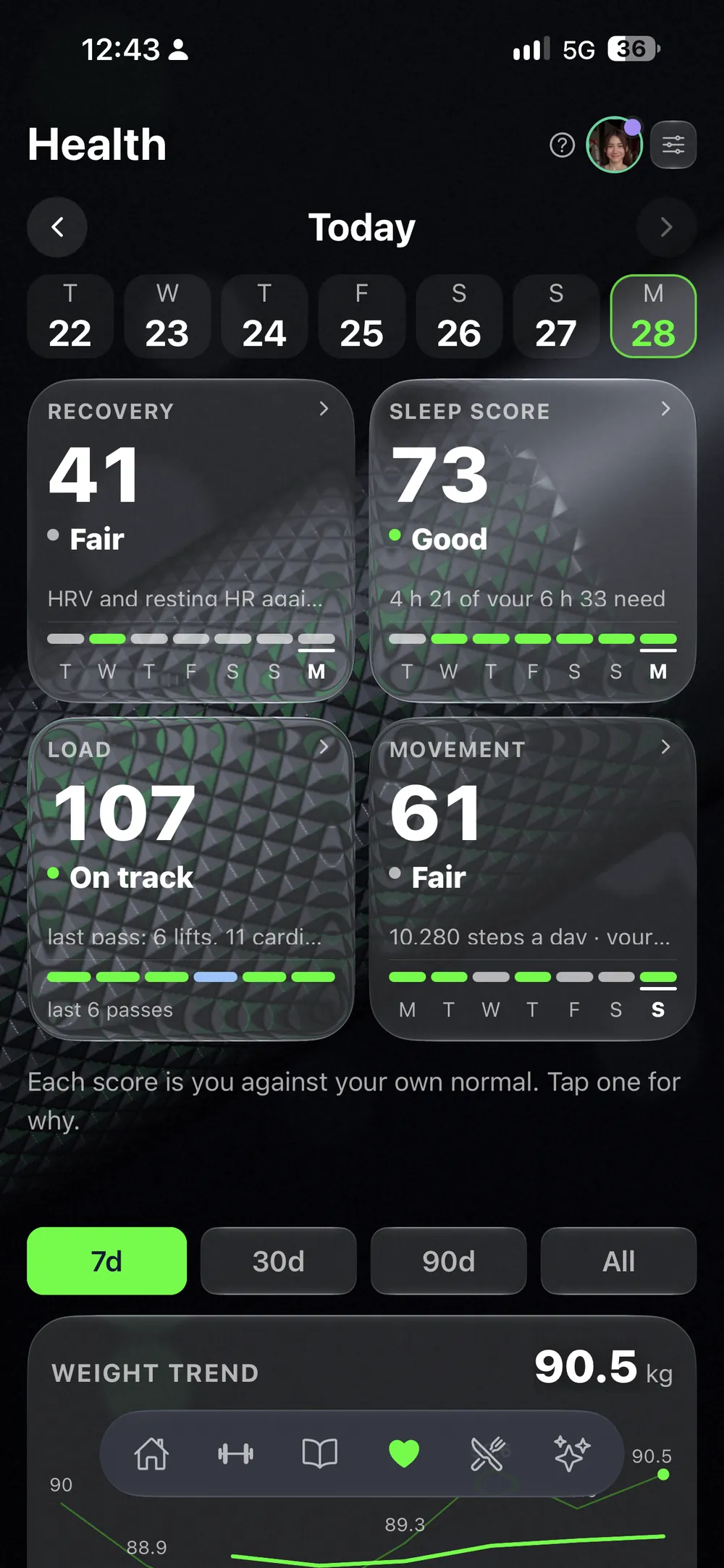
Sleep, heart rate, steps and weight come in on their own.
With your permission, LiftScan reads them from Apple Health or Health Connect, each with its own switch. Turn off what you do not want. Nothing is written back without you asking.
Workouts from Apple Health come in too. If one overlaps a session you logged yourself, you pick which one counts.
We do not sell, trade, or rent your personal information to third parties.
Every score is against your own normal.
Not against an average person. A normal day for you is a good day. The score moves when you move away from your normal, and it shows you why.
Are you ready today?
Your HRV, your resting heart rate, last night's sleep and how you feel this morning, against your own recent weeks.
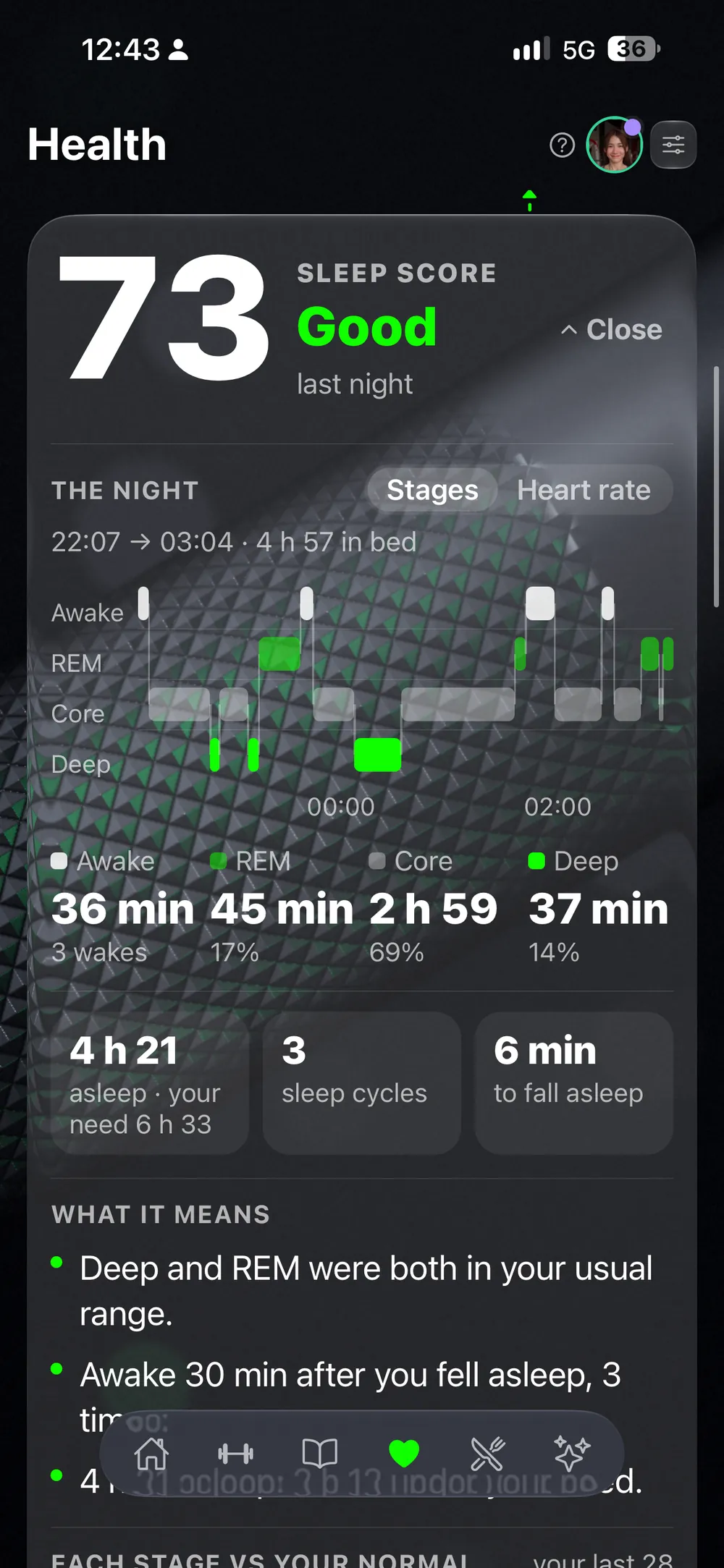
Against the sleep you need.
LiftScan learns your sleep need from your own nights. You can set it yourself at any time.
Did the training match your normal?
Every lift is compared with your own normal for that training day. Cardio counts too. More is not better, so Load is not a grade.
Your steps on your own curve.
Your low days, your usual and your best, learned from your own days. With too few days, the card stays empty. It never shows a made-up number.
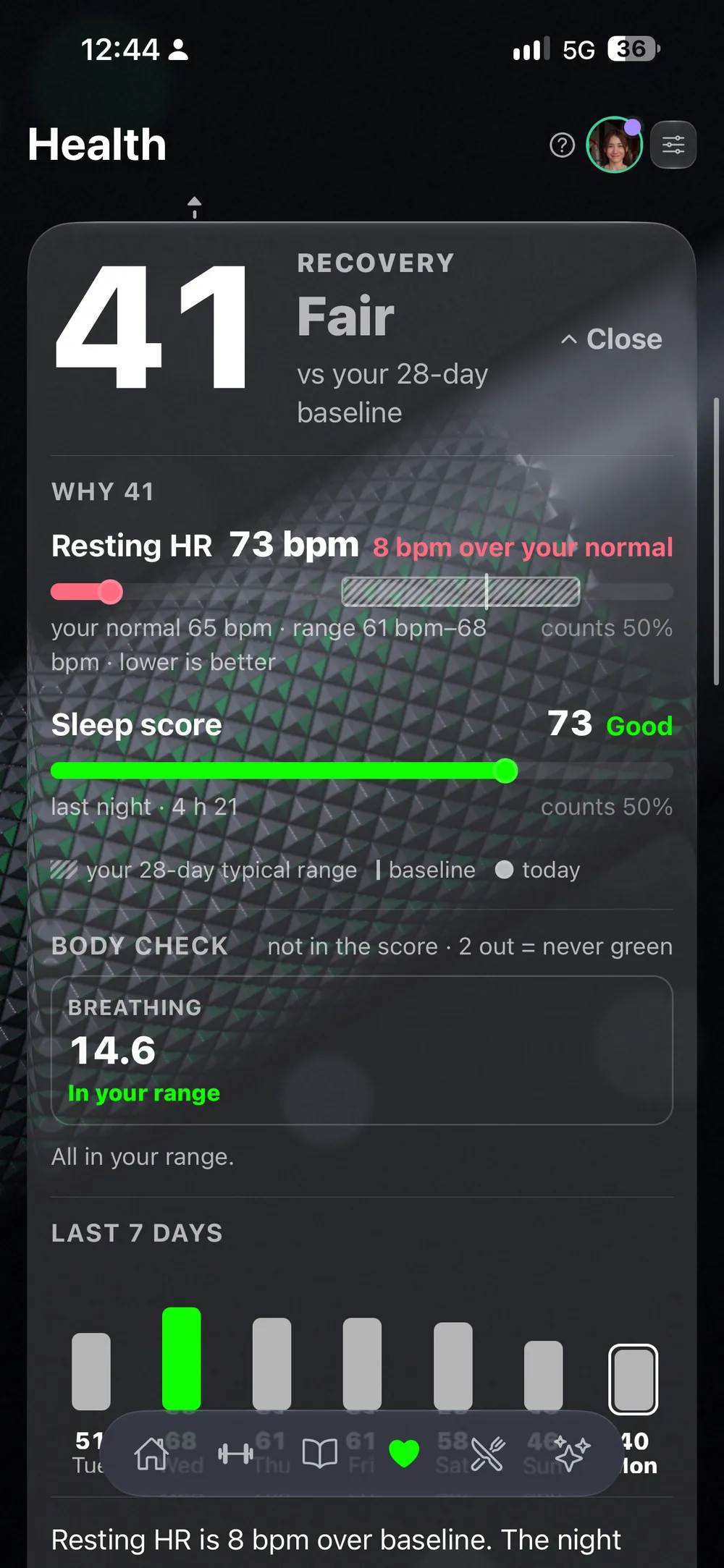
Tap a score. See what moved it.
One big number, one word, then the list of what moved it, in plain words. Your own range sits next to today's value.
Every score shows its own reasons. No black box.
Your sleep need comes from your own nights.
Open the Sleep score and you see each part of the night: how long you slept, how regular your times were, REM and deep sleep, and how often you woke up. Each one is measured against your own nights.
LiftScan learns more about you the longer you use it. You can see what it learned, and change it.
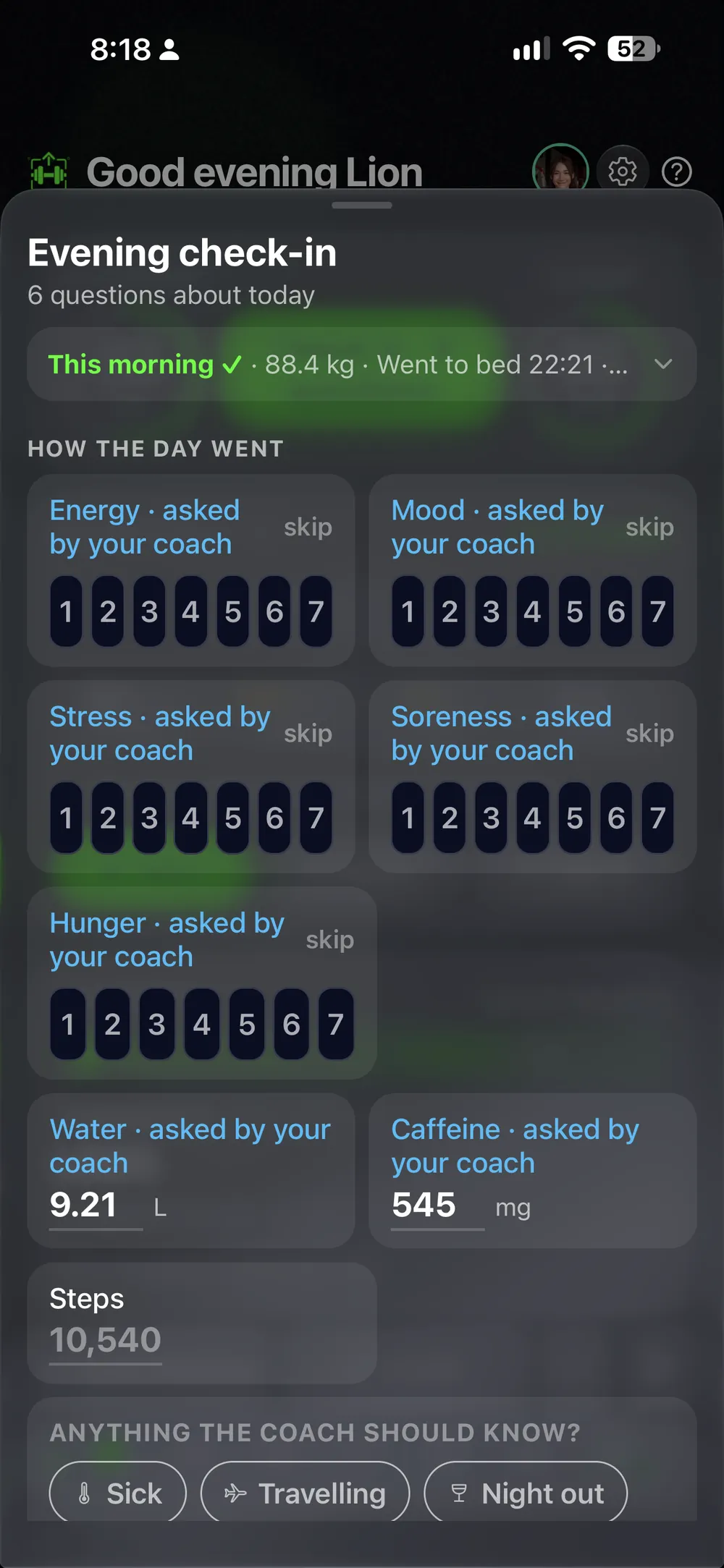
You choose what to check in, and when.
Morning, evening or any time. Sick, travelling or a night out? One tap, and it is on record.
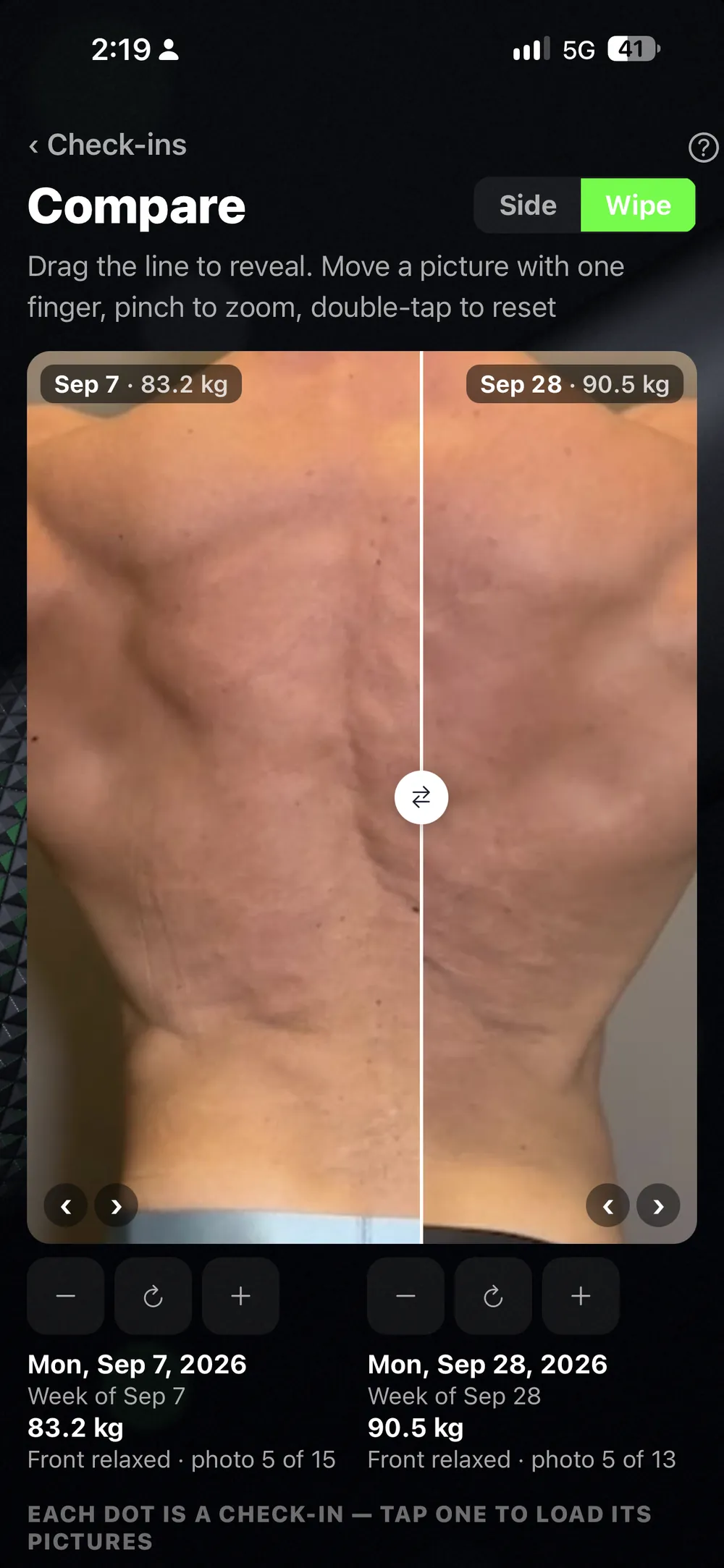
Put two check-ins side by side.
Photos and measurements go in on the days you choose. Your averages are already counted, so you type almost nothing. Put two check-ins side by side and compare the photos.
Your weight trend.
It sits right under the four scores on the Health tab.
Bloodwork.
You can keep your lab panels next to your training.
About your health data.
Do I need a watch?
No. Sleep, Recovery and Movement read what your phone and your watch already write to Apple Health or Health Connect. Load comes from the workouts you log in LiftScan. Less data means fewer scores, never made-up ones.
Is this medical advice?
No. The scores only show how today compares with your own recent weeks.
Can I turn off what I do not want?
Yes. Each kind of data has its own switch. Turn off what you do not want LiftScan to read.
Can I set my own sleep need?
Yes. LiftScan learns it from your own nights, and you can change it at any time.
Can I track something that is not in Apple Health?
Yes. Add your own field to your check-in and log it on the days you choose.
What happens to my health data?
LiftScan reads it with your permission. We do not sell, trade, or rent your personal information to third parties.
You against you.
Start today.
Connect Apple Health or Health Connect, and your days start to come in on their own.
No phone at hand? Open it in your browser.