Getting a plan
is easy.
Pick the way in that fits you. Every plan runs in the same tracker.
No phone at hand? Open it in your browser.
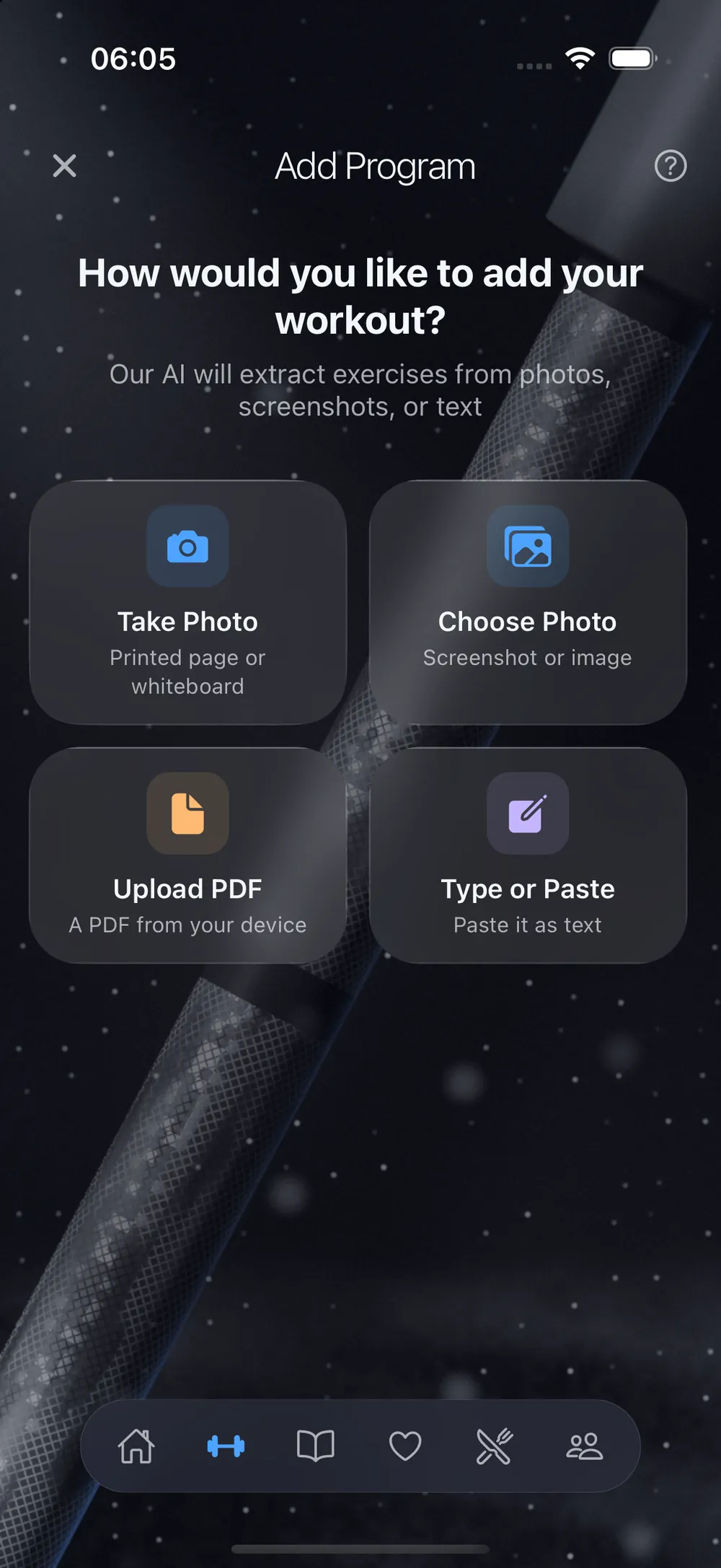
Answer four questions. LiftScan picks a free program.
What you train for, how long you have lifted, how many days you can train, and what you train with. Tap Find me a plan, and LiftScan picks from its own shelf of free programs by LiftScan Coaching.
It never picks more days than you have, and never a plan above your level. Want a different one? See every match and choose.
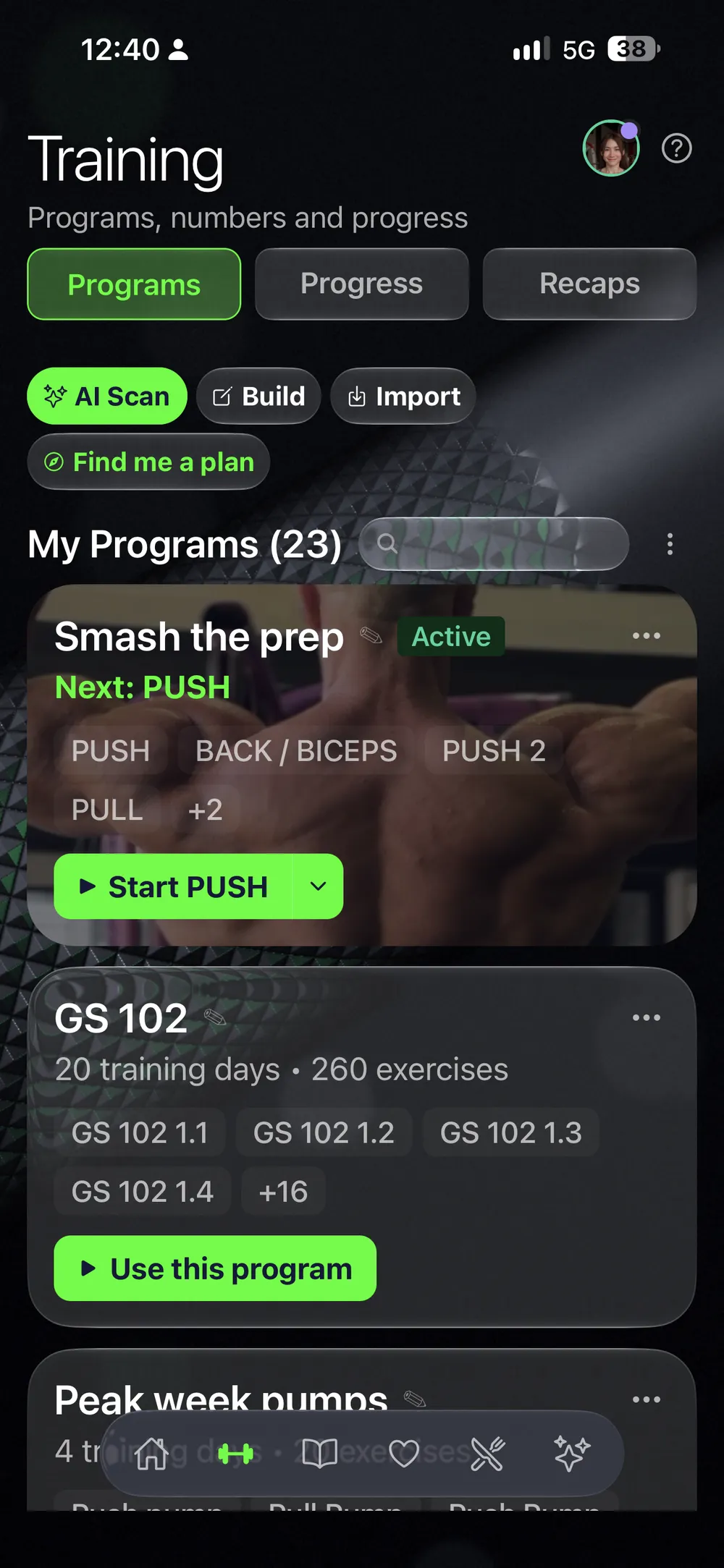
Scan the plan you have.
A PDF, a photo or a screenshot. You check what it read.
Scan it.
Your coach's PDF, a screenshot of a spreadsheet, a photo of the page.
Check what it read.
Days, exercises, sets and reps. Fix anything before you save it.
Train it.
It runs like every other plan in the app. From the second session on, last time's numbers are filled in.
However the plan comes in, you train it the same way.
Programs from creators, bought on the web.
You buy a program on liftscan.app. It lands in your app as a tracker, not a PDF: every day, set, rep range and note in place.
Their demo videos.
The creator's demo videos sit on the exercises, so you see the movement when you are about to do it.
See a sample day.
A program's page shows one day of it in full, so you know how this creator writes before you buy.
The creator sets it.
Some programs are free. For the others, the creator sets the price.
Yours to change.
Swap an exercise your gym does not have, or move a day. Your copy is yours.
Your exercises, your days.
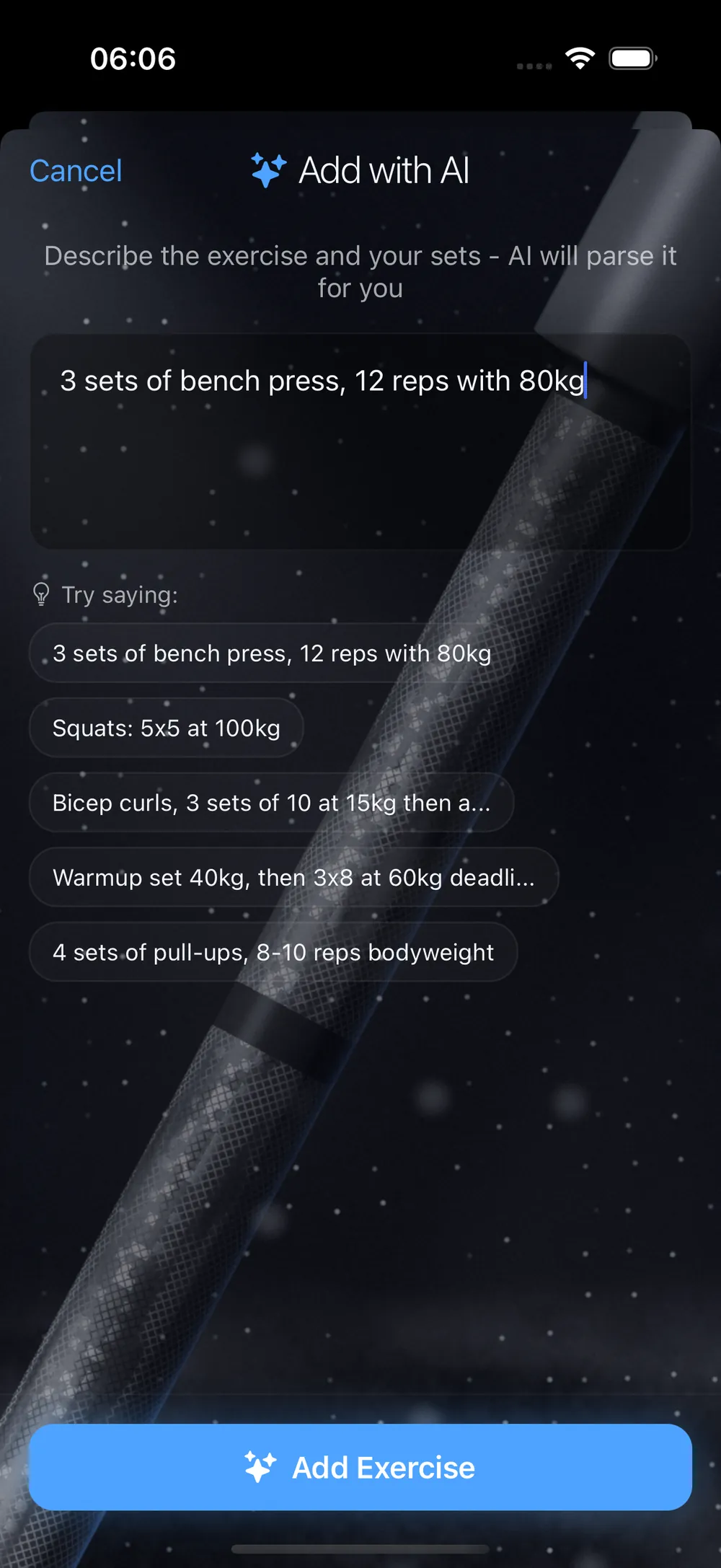
Build the plan yourself. To add an exercise, type it the way you would say it: “3 sets of bench press, 12 reps with 80 kg.” It goes in as sets.
Your coach's plan goes straight in.
Enter the code, and the plan is in your app. If you connect to your coach in the app, they see your workouts, check-ins and weight.
Just log as you go.
Skip the plan. Train and write it down. You can add a plan when you want one.
The plan runs itself.
Last time's numbers are already filled in. One tap on the check saves the set. Hit the top of your rep range on every working set, and an arrow shows there is room to add weight.
When a program has its progression written in, the loads for each week come with it.
See the tracker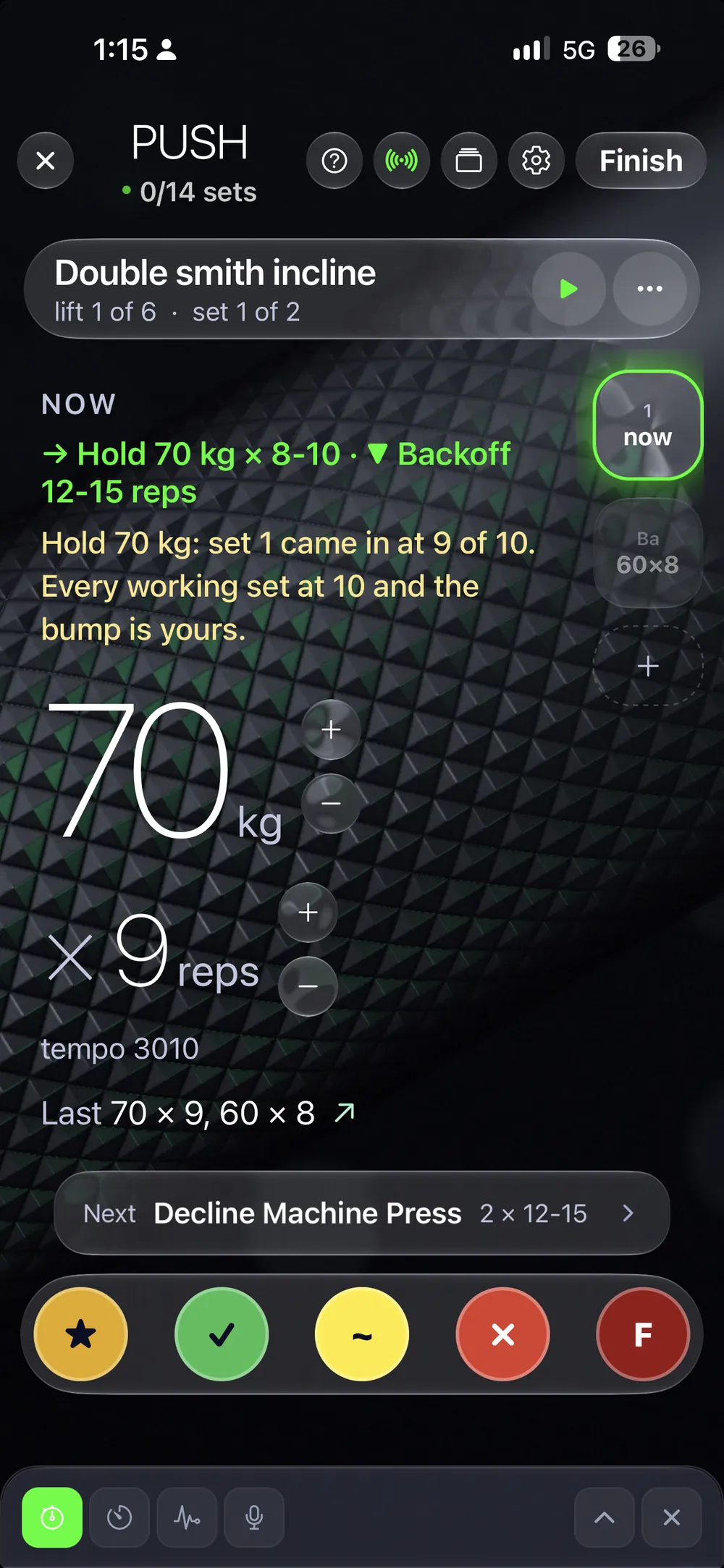
About programs.
Can I bring my own plan?
Yes. Scan it from a PDF, a photo or a screenshot and check what it read. Or build it yourself, or enter your coach's code.
Do I have to pay for a program?
The programs from LiftScan Coaching are free. A creator's program is free or paid, and the creator sets the price. The app itself has a subscription: see Pricing.
Where do I buy a creator's program?
On the web, at liftscan.app/marketplace. After you pay, the program is in your app.
Will the quiz give me a plan above my level?
No. It never picks a plan above your level, and never more days than you have.
Can I change a program after I get it?
Yes. Swap an exercise or move a day. Your copy is yours.
Get a plan today.
Go as far as you want.
Four questions are enough to begin.
No phone at hand? Open it in your browser.