Start free on the web — about a minute.

PILLAR 01 · WORKOUT TRACKER

The workout tracker
that reads your program.

Photograph any program — a coach's PDF, a whiteboard, handwriting — and it becomes a complete, trackable program in seconds. Then every set is tracked with you: targets, suggested weights, PRs caught live.

On your iPhone, your Apple Watch and the web. Ten languages.

Apple Watch app · ten languages
Start 14 days free
Set it up on the web →
How it works

Three steps from paper to a tracked program.

Most gym workout trackers start with an empty template and a keyboard. This one starts with the program you already have. How the scan works →

STEP 01 · SCAN

Photograph or upload it.

A PDF, a screenshot of a chat, a whiteboard, handwriting. 24 program formats are understood — sets, reps, tempo, rest and notes come along.

STEP 02 · CHECK

See the match.

Every exercise is matched to one of 1,000+ in the library, each with a start/end-frame form guide. A wrong match is one tap to fix.

STEP 03 · TRAIN

Track every set.

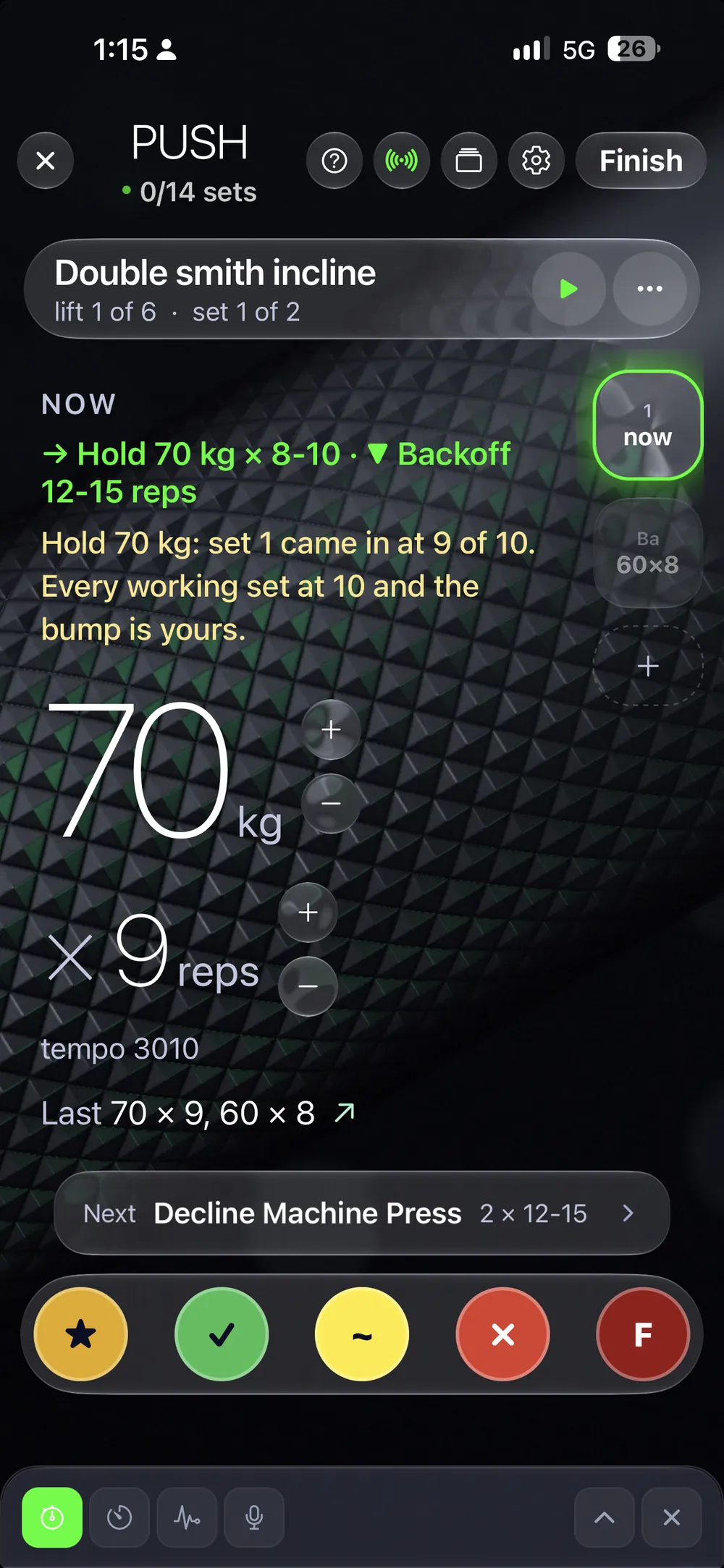
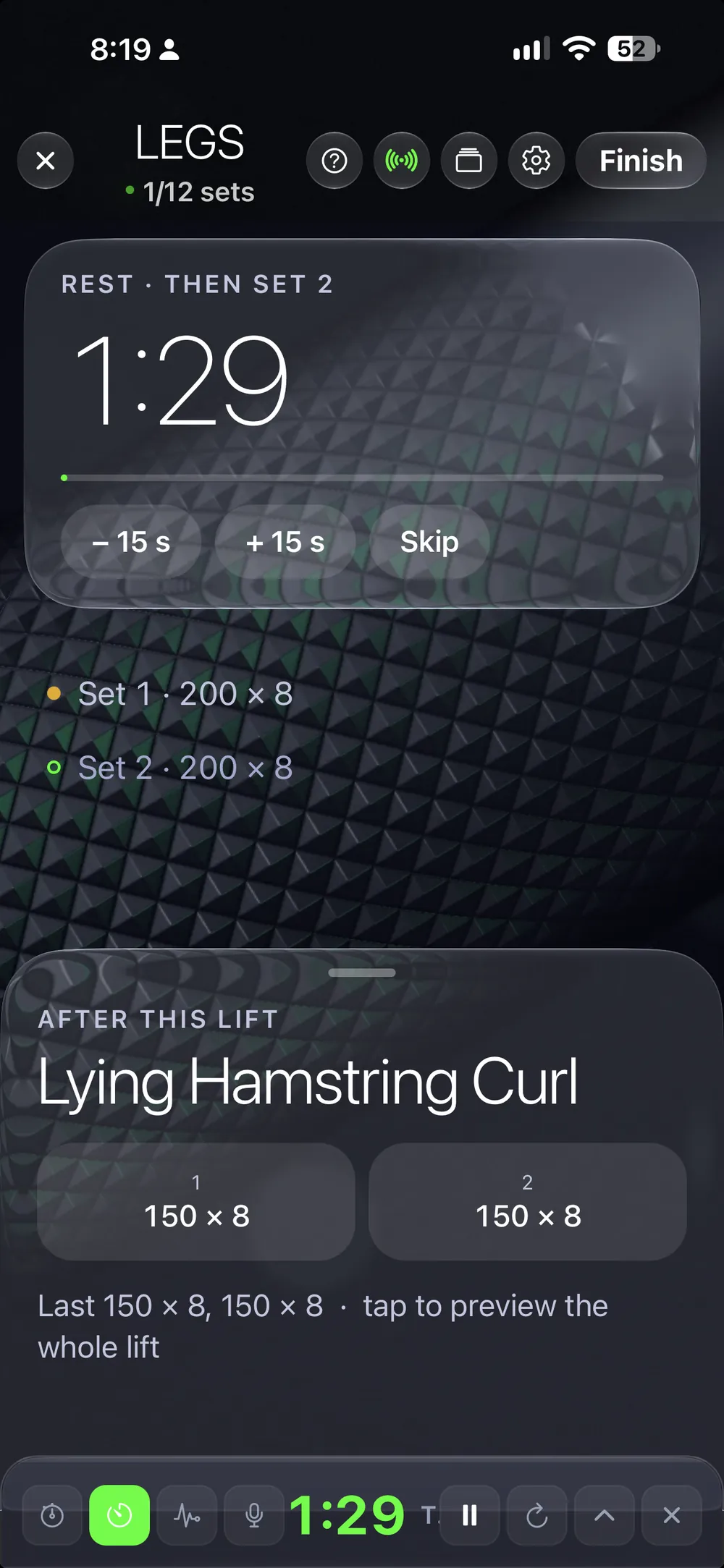
Targets on every exercise, last time's numbers beside them, the next weight suggested from your own history. Grade the set and it is filed.

Scan your program on the web →
A live session on the Paper workout screen - prescription, last time, the earned bump
It coaches back

The program answers during the set.

Targets on every exercise, suggested weights from your history, PRs caught the moment they happen — and a real post-workout summary when you rack the bar.

Your first program can be in the app tonight.

The checklist

Everything a gym workout tracker should do.

Log fast, know the target, catch the PR, close the session with a summary — and carry the program to the next phone intact.

Log a set in one tap

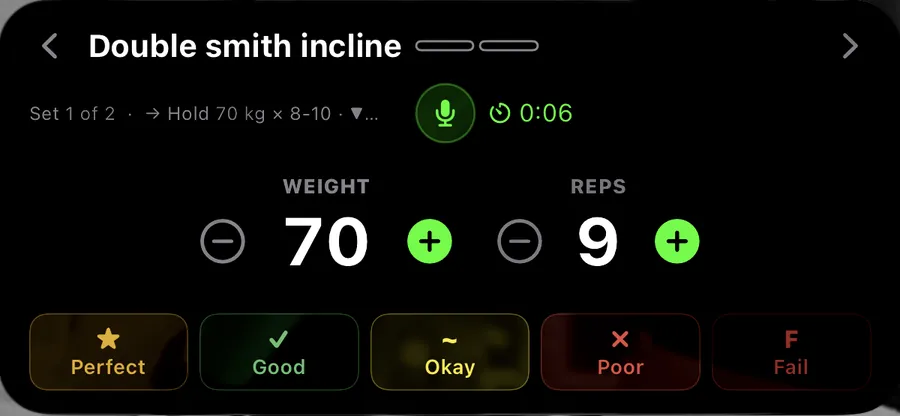
Grade the set — perfect, good, okay, hard, failed — and it is filed. The log says how the reps looked, not only that they happened.

Targets and suggested weights

Every exercise carries its prescription. The next weight comes from your own history, and when your numbers say you can go up, the tracker says so.

PRs caught live

A personal record is caught the moment it happens, against your whole history — on the phone, the lock screen or the wrist.

A real post-workout summary

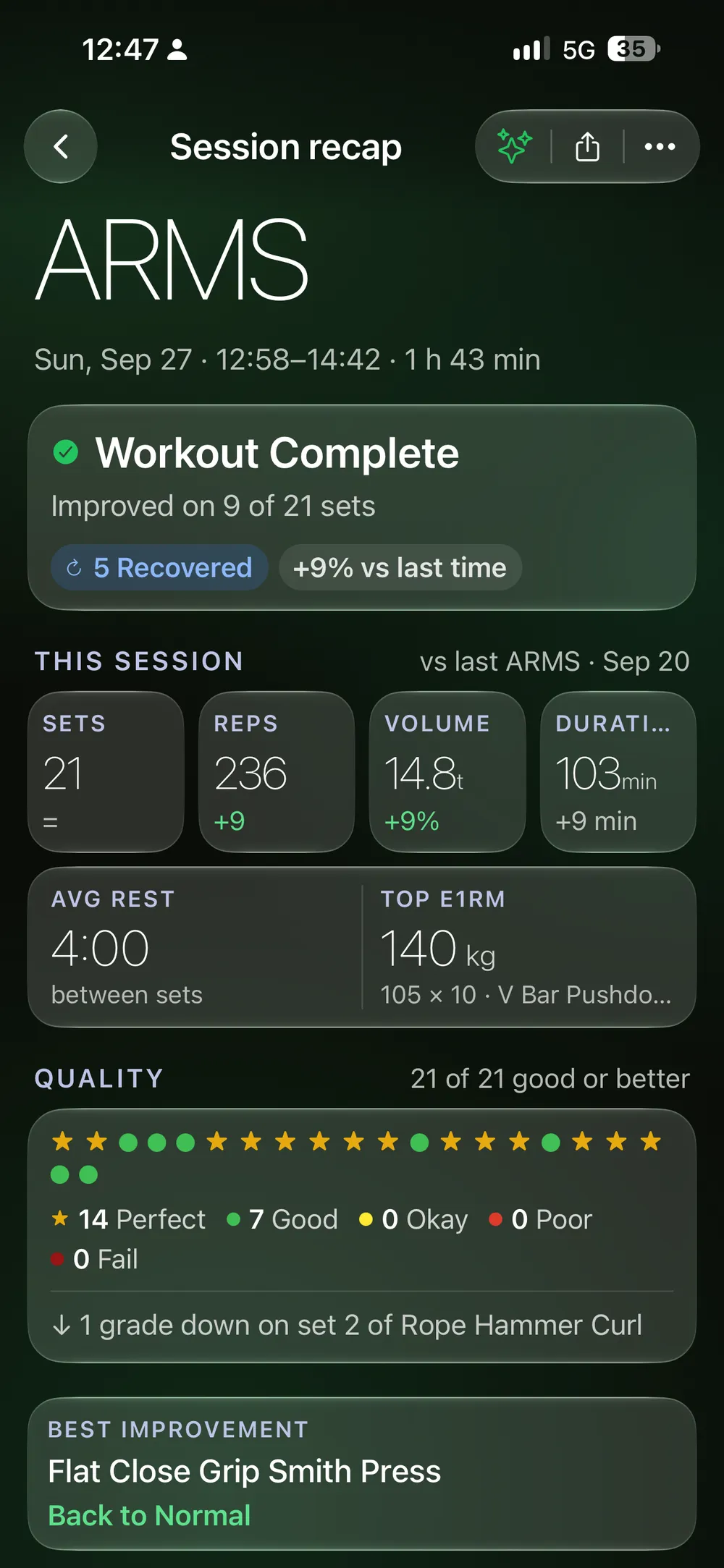
When you rack the bar you get the session whole: volume, time, PRs, how the sets went. Most gym logs stop at the last set.

Progression written into the program

Week-by-week loads and %1RM ramps live inside the program, block by block, with every modifier per set — week 4 already knows what week 1 did.

Programs that travel

Share a program by link or QR and it arrives intact on the other phone: every set, tempo and note, with the clips you attached to your own exercises.

Try it with your own numbers →
1,000+ form guides

Every movement, shown.

Over a thousand exercises with start/end-frame form guides, matched automatically when your program is scanned — 24 program formats understood.

A working set with its form guide linked and ready to play, above the RX line and the directive
Try it with your own numbers →
Workout screens + sharing

Your tracker, your workout screen.

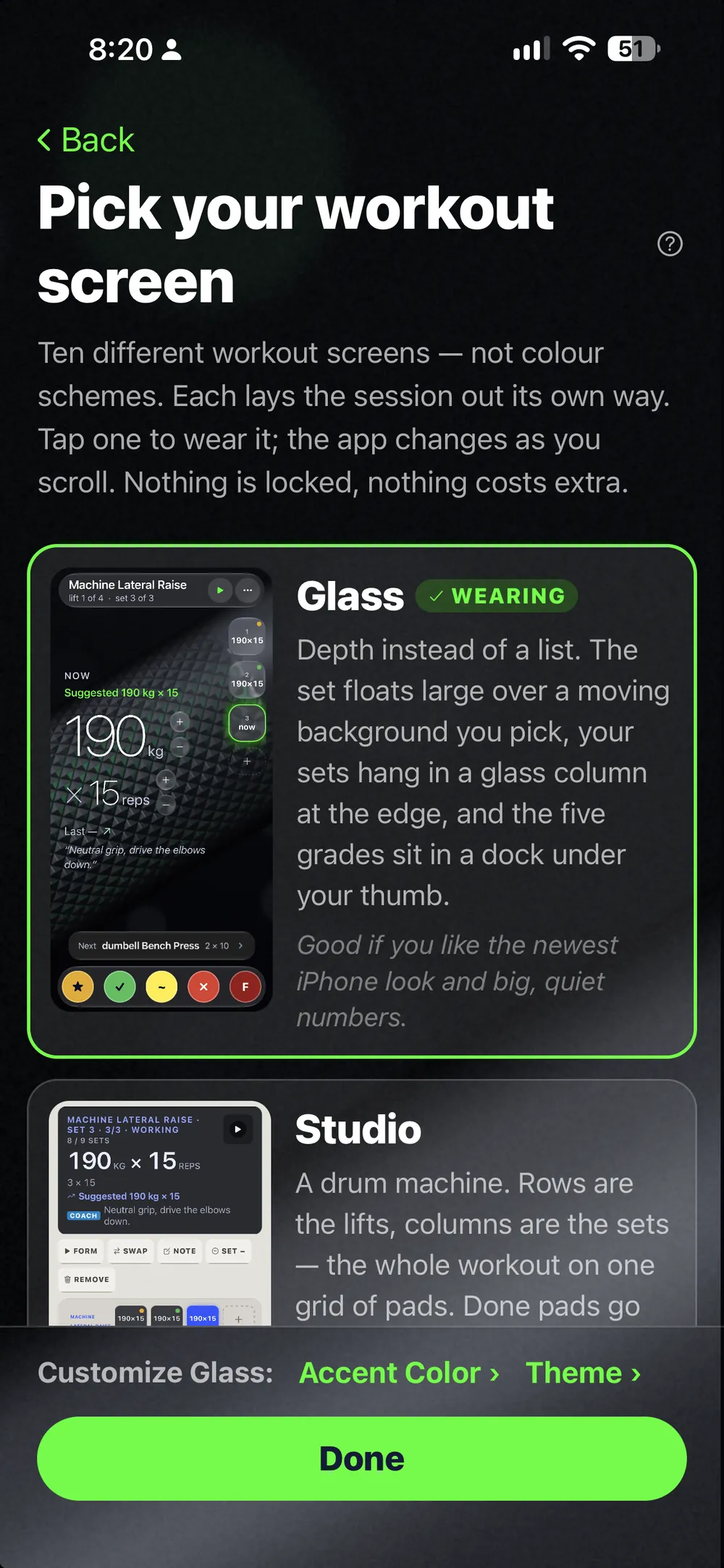
Ten workout screens — the same clean data, rendered the way you train. Drag the halo; stop on one and it opens, with the dashboard that comes with it. And any program shares by link or QR, arriving intact on the other phone: every set, tempo and note.

See all ten ↓
LiftScan mark

DASHBOARD · SAME SCREEN
Drag to spin · release to stop on a workout screen

Start free on the web — about a minute.

Widgets + Live Activity

The set is on your lock screen.

A Live Activity runs the working sets from the lock screen — in your workout screen's colours — so the phone never has to be unlocked between sets. Home-screen widgets keep today's plan and your week one glance away.

The Lock Screen Live Activity — the working set with weight, reps and the five grades
LOCK SCREEN · LIVE ACTIVITY
A home-screen widget — the next meal, one tap from logging it
HOME SCREEN · WIDGET
Set it up on the web →
With a coach — or coaching yourself

Your coach sees the same log.

Connect a coach in the app and every logged set, form check and weekly check-in lands on their cockpit — no screenshots, no spreadsheet. Training alone? The weekly check-in works for self-coaching too, and the AI Coach reads the same history. How coaches use it →

The coach's cockpit — a client's logged session, set by set, with the form check beside it

Start free on the web — about a minute.

Fair questions

What people ask a workout tracker.

Is LiftScan a free workout tracker?

Every tier starts with 14 days free, on the web or in the app. After that the tracker is the Train tier — the live price is on the pricing page, and every tier above it includes the tracker.

Can it read my coach's PDF?

Yes. A PDF, a photo of a whiteboard, a screenshot of a chat, handwriting — 24 program formats are understood and every exercise is matched to the library automatically. A wrong match takes one tap to fix.

Does it work on Apple Watch?

Yes. The day you planned is on your wrist, so the phone can stay in the bag between sets — and the lock-screen Live Activity runs the working sets on the phone.

Is there an Android app?

Android is in its last test round and opens on Google Play very soon. The web app works on any phone today, with the same account and the same data.

Does it track more than workouts?

Yes. Nutrition and health write the same history as the tracker, which is what lets the AI Coach read your week whole. The tracker is one pillar of three; the Complete tier has all three.

Which languages does it speak?

Ten: English, German, Japanese, Thai, Spanish, Portuguese, French, Italian, Korean and Chinese — the app and this site.

I use another workout tracker. Can I switch?

Photograph or paste the program you train now and it is trackable in minutes. One of the ten workout screens works like the card-list apps you may be coming from, so nothing has to be relearned on day one.

Can I get my data out?

Yes. In the History tab, tap the logbook icon and pick a month — your workouts come out as a PDF logbook.

Set it up on the web →
Part of the whole

One pillar of three.

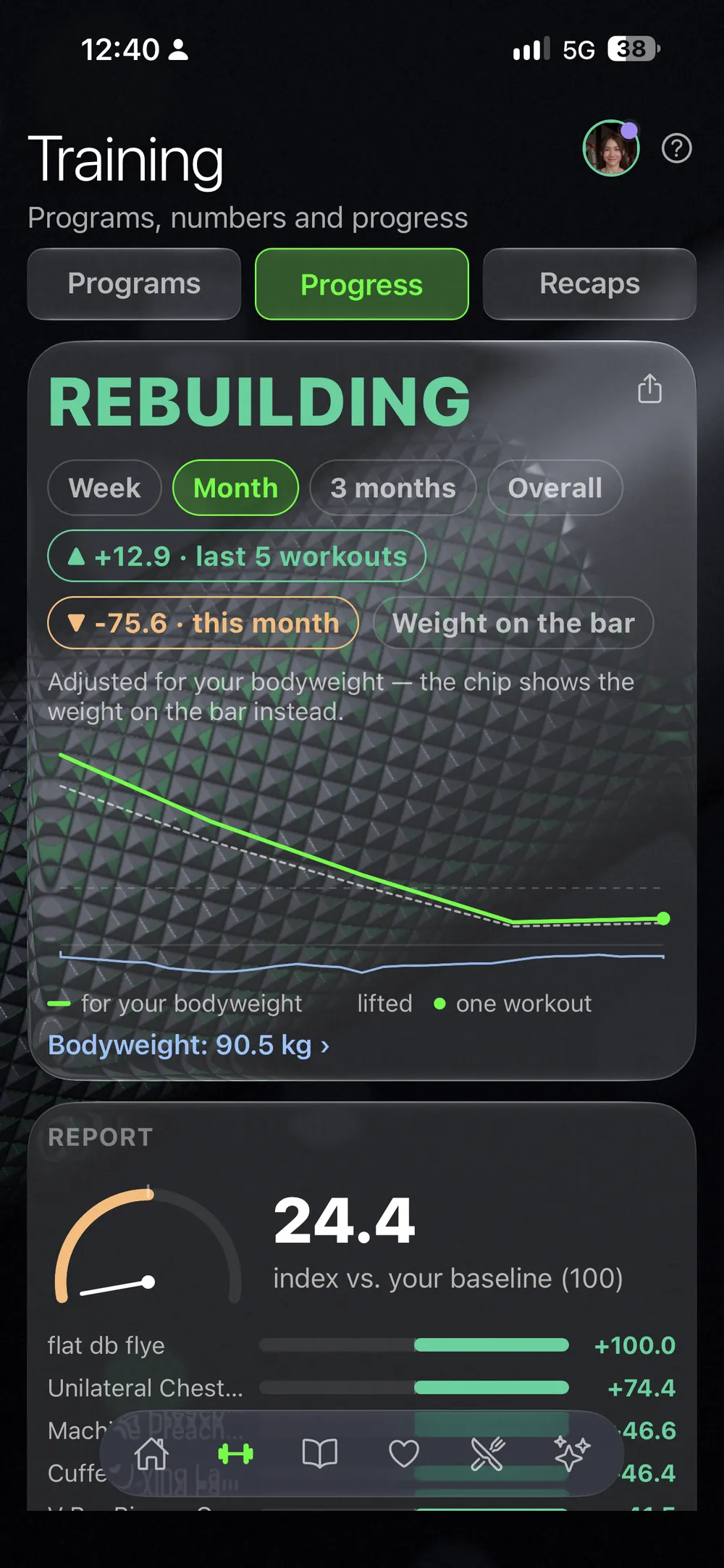
The workout tracker writes the same history as your nutrition and your health — which is what lets the AI Coach read your weeks whole.

The tracker is in every tier — it is the Train tier, and everything above includes it. 14 days free, live price on the pricing page.

See pricing

Your first program can be in the app tonight.