App Storeで公開中 · iOS + Web · Apple Watch · 10言語

すべてを記録する、ひとつのアプリ。

トレーニング、食事、睡眠、体重——アスリートのすべてを、3つのアプリではなく、ひとつの整ったアプリで。 記録はもれなく、余計な操作はなし。

そして、その上にコーチが乗る——自分の数字を根拠に語るAIコーチ、自分自身をコーチできる週に一度のチェックイン、 あるいは同じ記録を読む、あなたの本当のコーチ。入り口は、プログラムの写真一枚。

ウェブから無料で始められます — 所要時間は約1分。

1,000+ フォームガイド
24 プログラム形式
10 ワークアウト画面
3 つのトラッカーが1つに
iOS + Web 完全対応
Apple Watch アプリ
10 言語
100% 実機スクリーンショット
使い方

入力はやめよう。記録を始めよう。
3本まとめて。

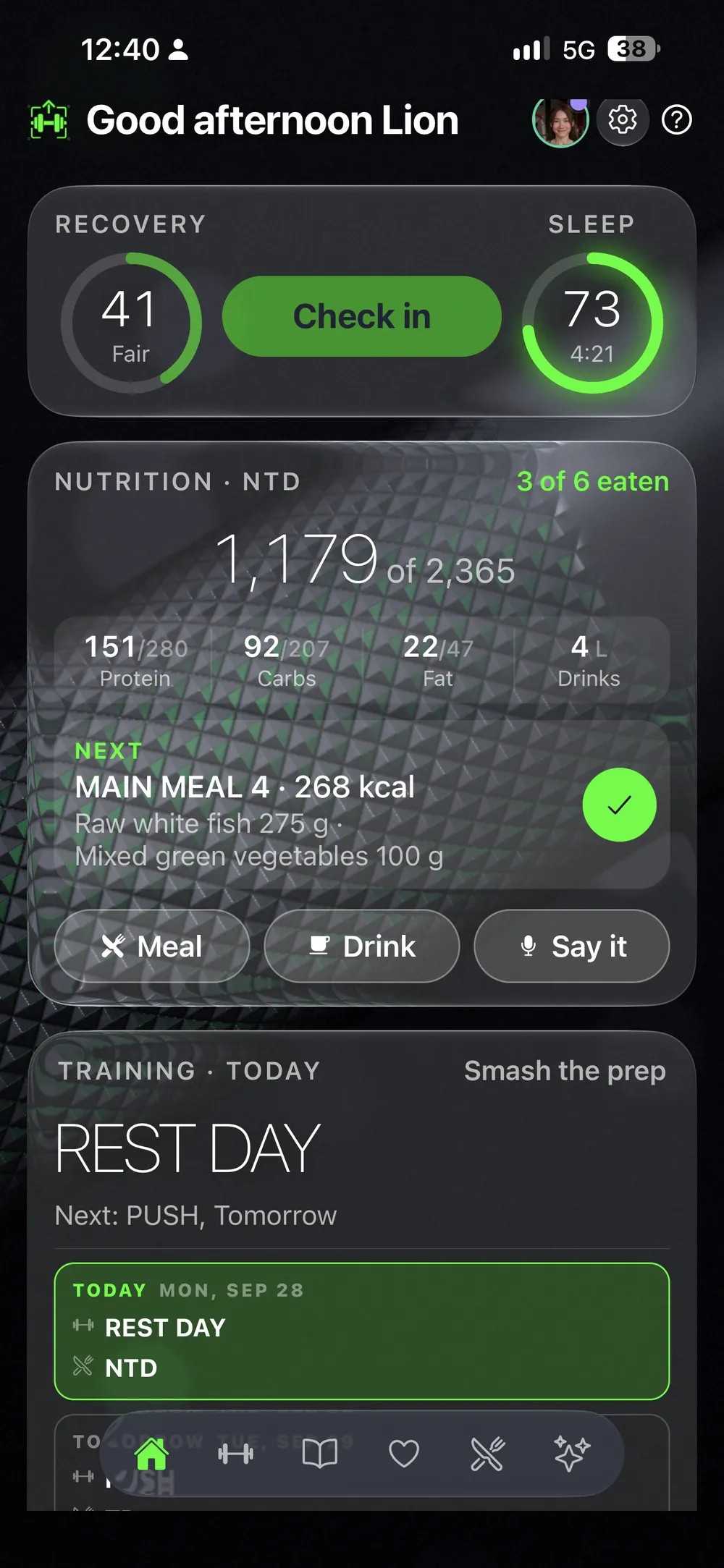
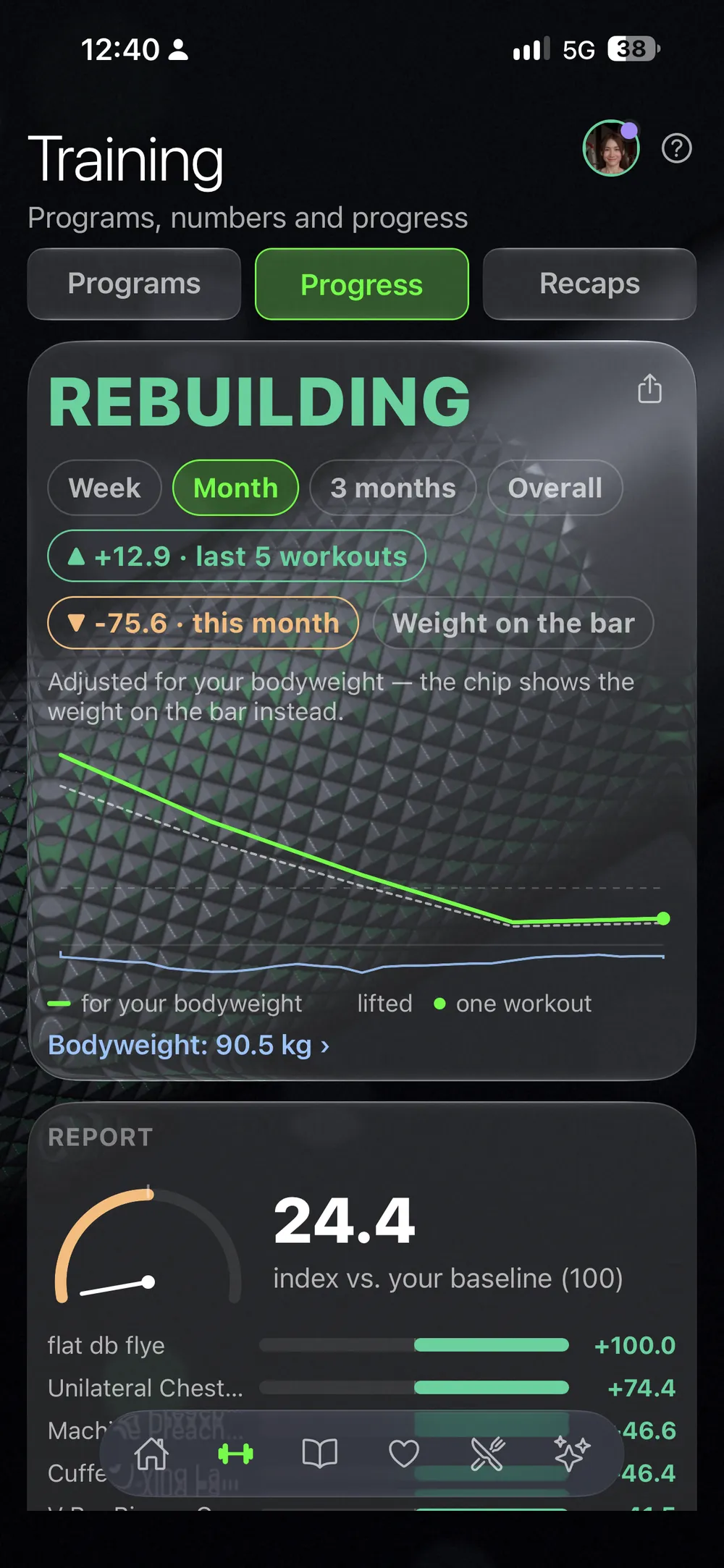
コーチがいなければ、アプリは3つに分かれます——トレーニング用、食事用、睡眠と体重用。ここでは、それがひとつです。フォルダの中の3つのタブではありません。ひとつの履歴に集まる3つのトラッカーが、週に一度のチェックインで交わり、毎週月曜に読み解かれます。

トラッカー01 · トレーニング
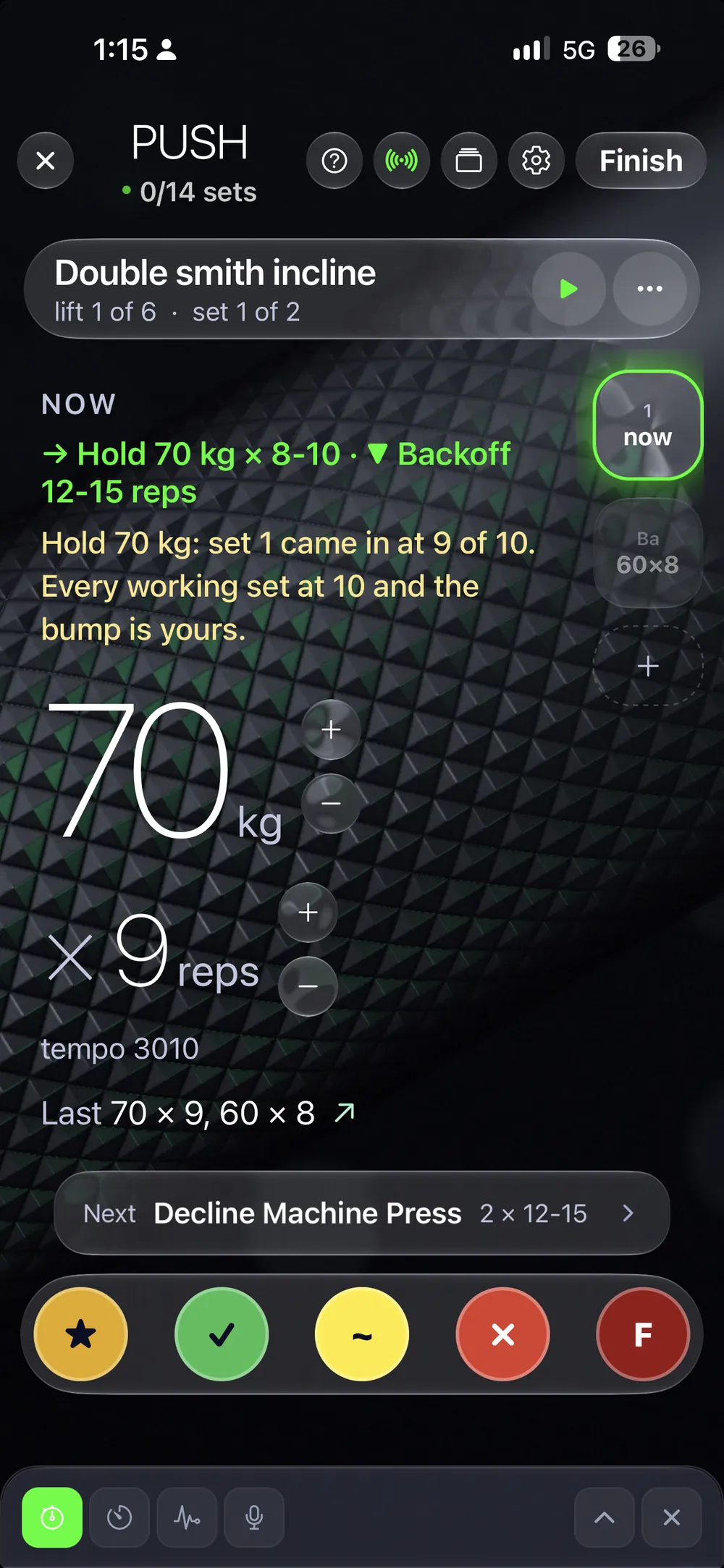
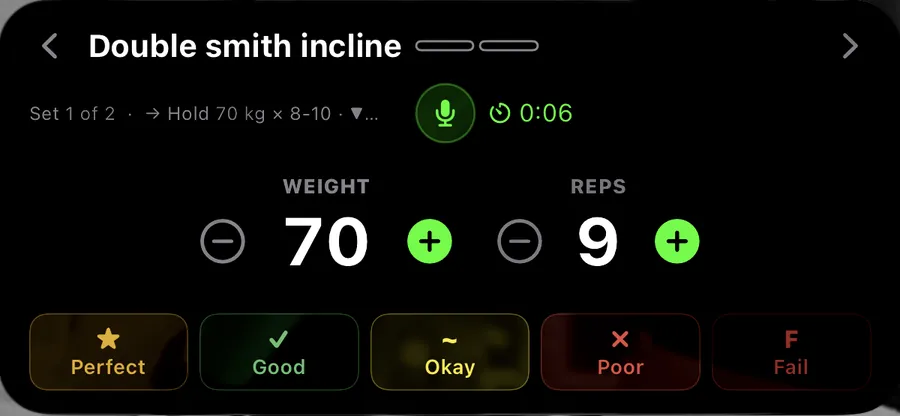
DIALのワークアウト画面で記録中のセット — 重量ホイールは205、レップは13、下に5段階評価

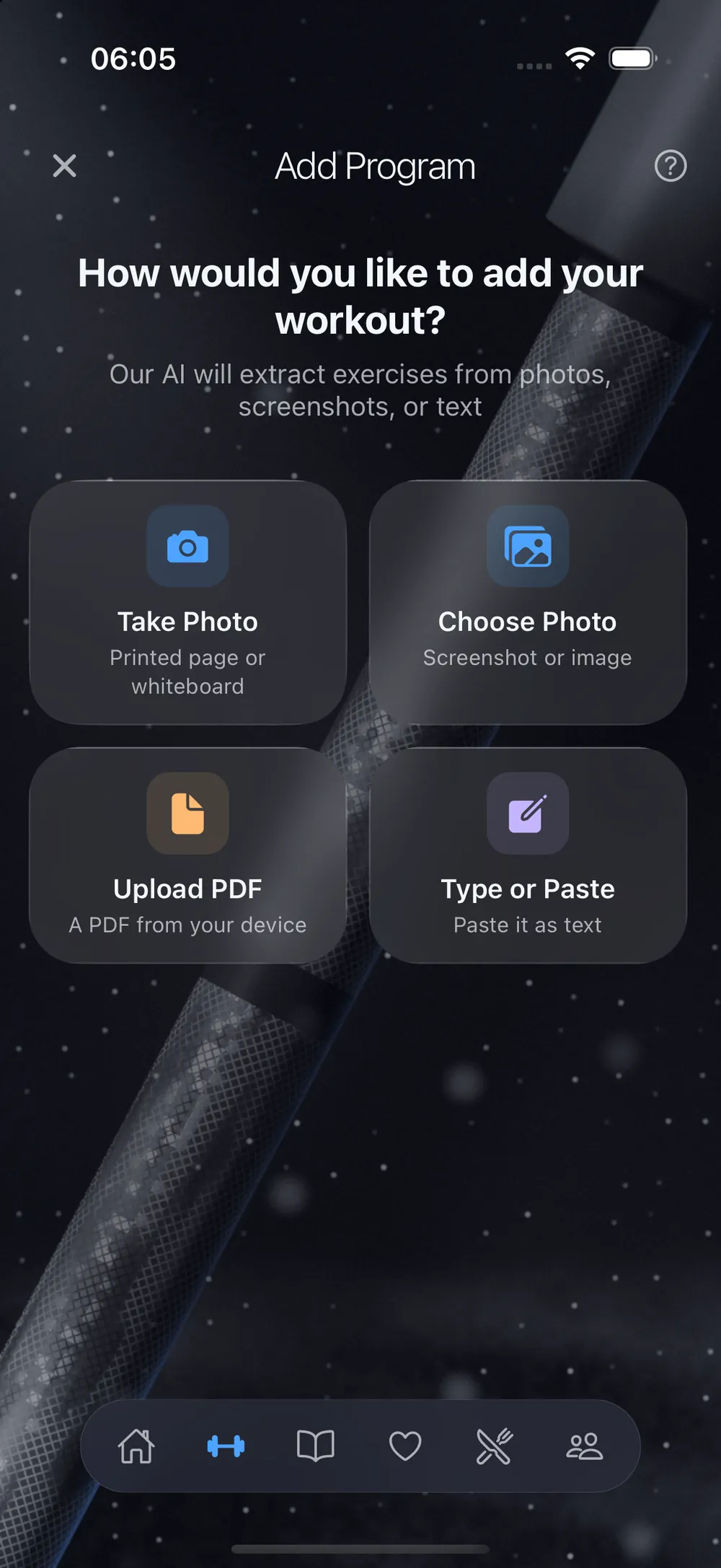
プログラムを撮る。あとは、鍛えるだけ。

コーチのPDFも、ホワイトボードも、手書きのメモも——目標値、推奨重量、PR検出まで備えたライブトラッカーになります。記録はスマホから、ロック画面から、あるいは手首から。

トラッカー02 · 食事
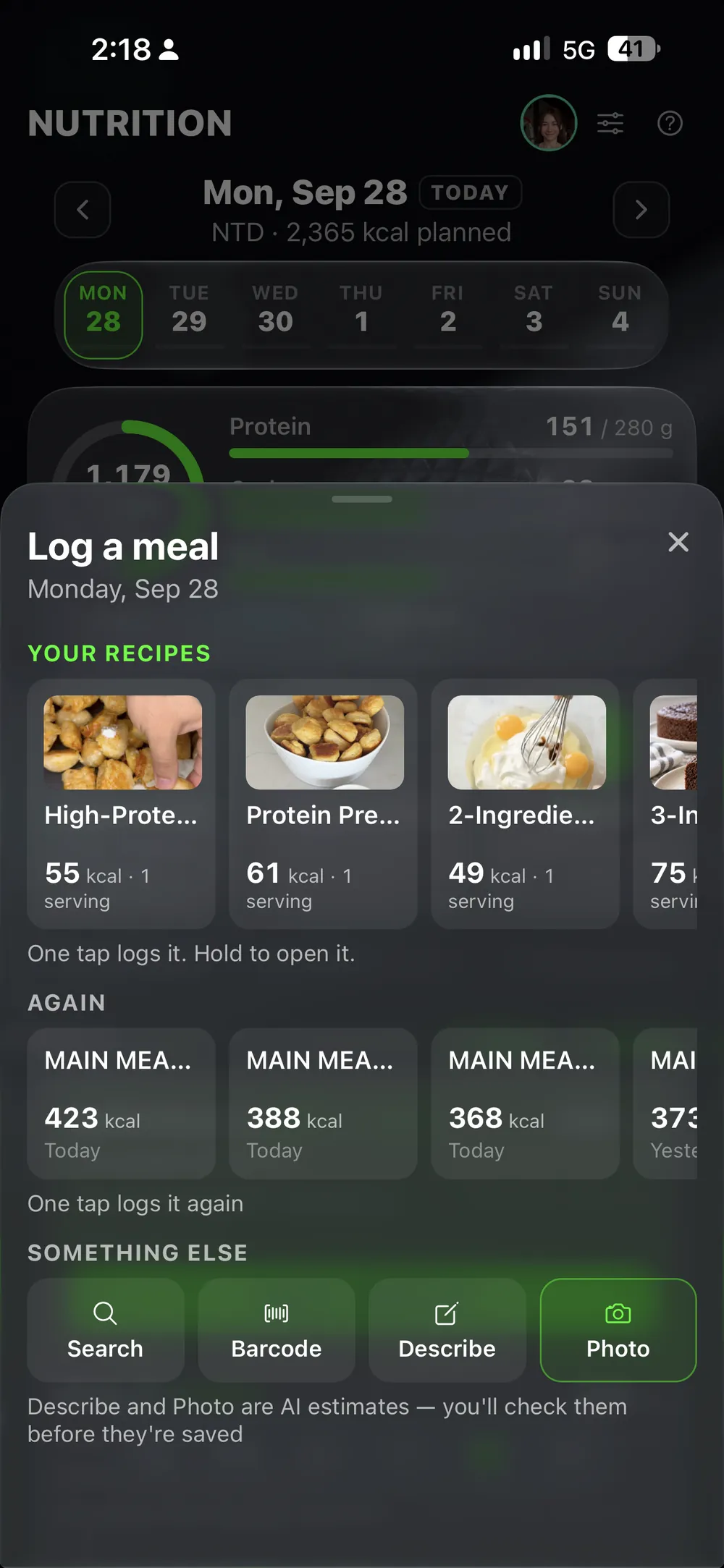
Log a meal — one-tap repeats, plus Search, Barcode, Describe and Photo

食事の記録に、あらゆる方法を。

バーコード、皿の写真、数語のメモ、Apple Watchへの音声、ワンタップの繰り返し、あるいはプランが書いた食事にチェックを入れるだけ——320万点の商品データベースが支えており、パッケージ食品も一般食品も、USDA認証のデータを優先して使っています。

トラッカー03 · ヘルス
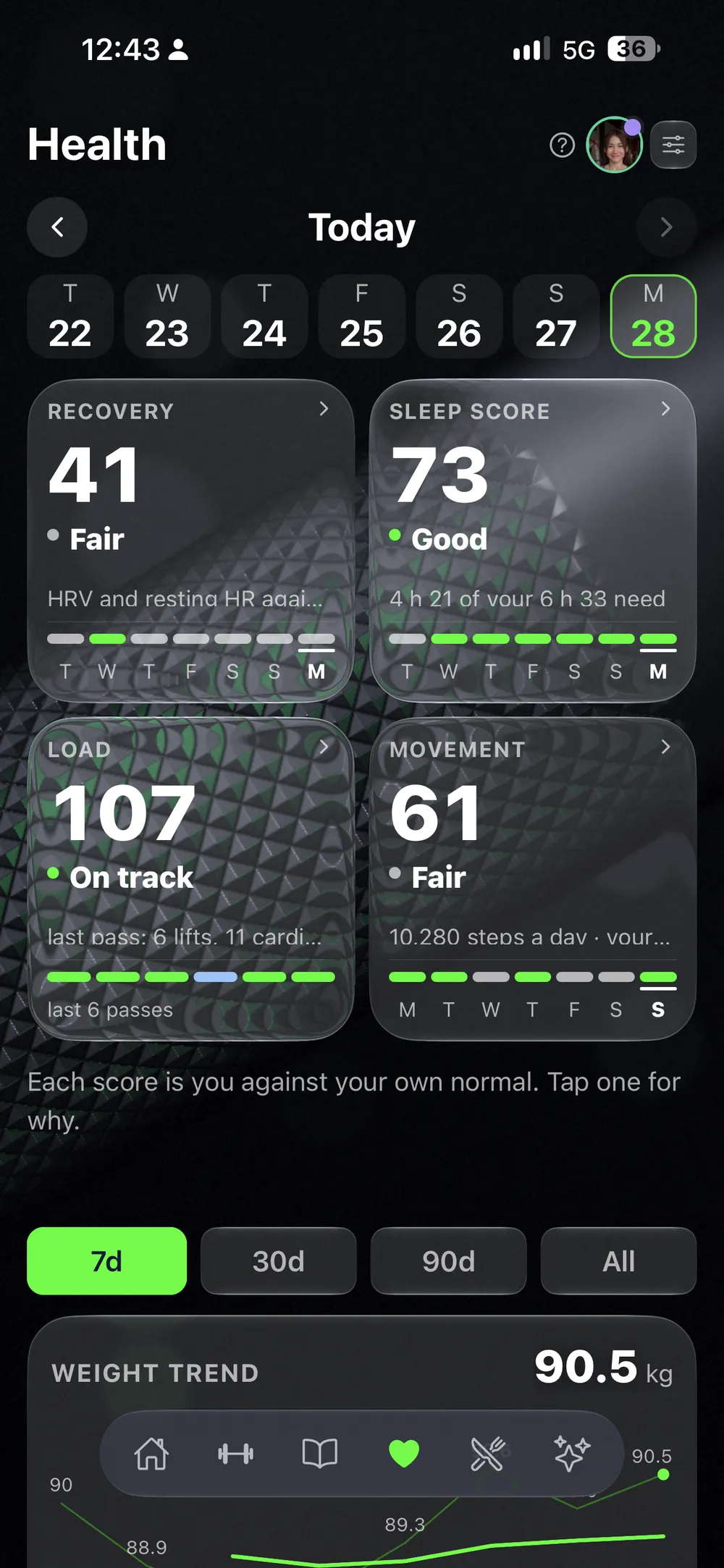
Health cards — weight, sleep, resting heart rate, HRV, steps

背景は、ひとりでに埋まっていく。

体重、睡眠、安静時心拍数、HRV、歩数——Apple HealthとApple Watchから自動で入ってきます。数字はひとつも、自分で打ち込みません。

3つすべてが、同じ履歴に集まる
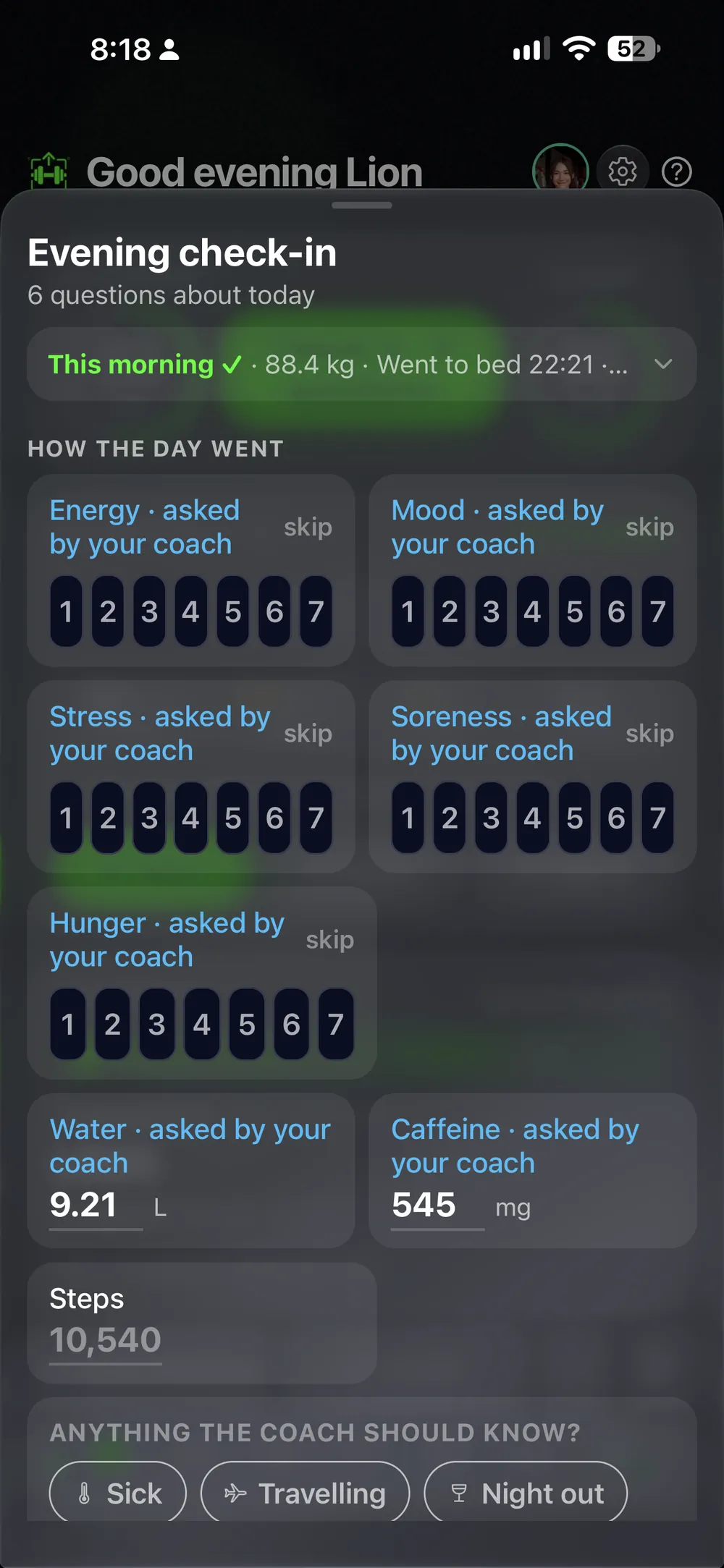
毎週 · チェックイン
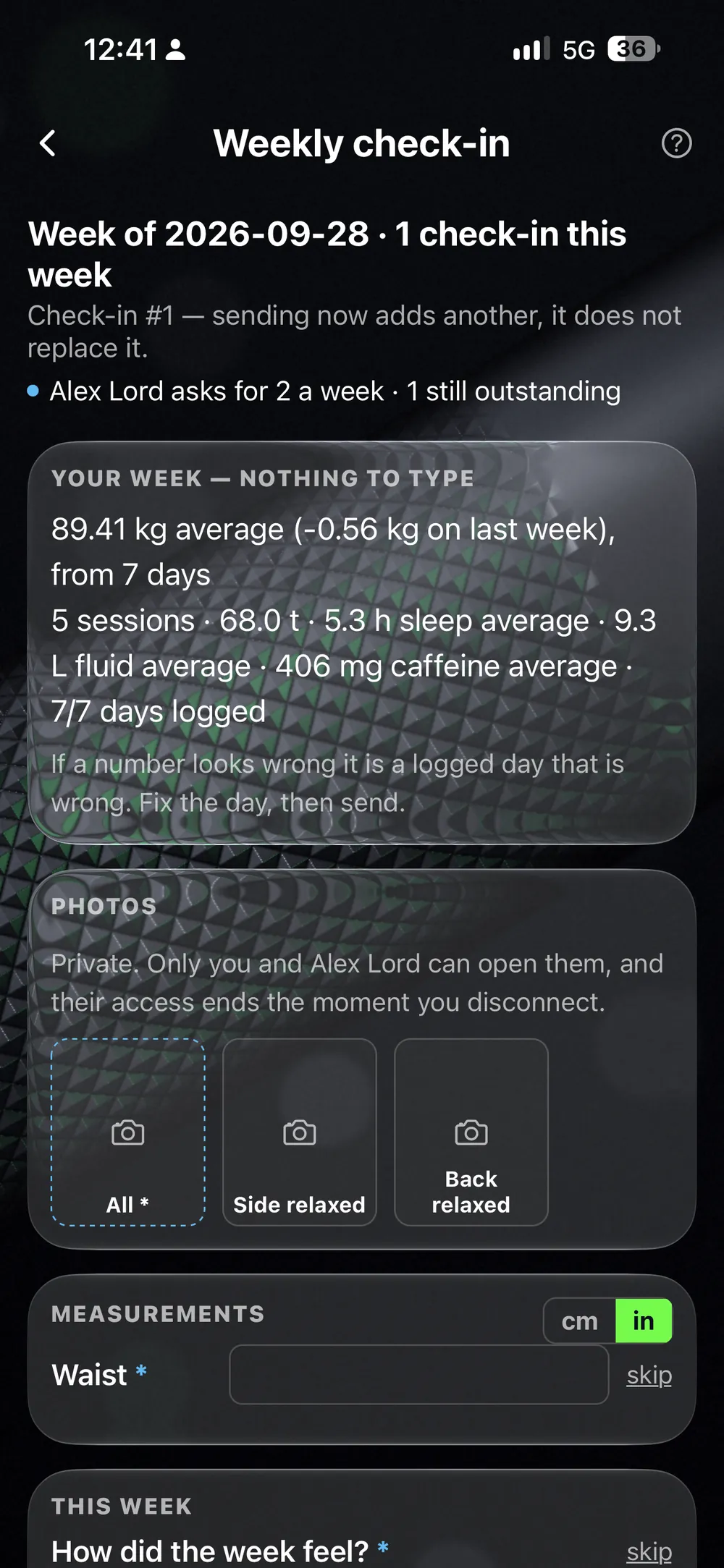
A week's check-in — photos, average weight, sessions, sleep, how the week felt

週に一度、正直になる。

写真、採寸、その週に実際どう感じたか——2分で終わり、ずっと残ります。3つのトラッカーがここで交わり、他のどの週とも並べて見比べられます。

毎週月曜 · AIコーチ
The AI Coach's brief, built from the week's numbers

そして、読み解かれる。

AIコーチがトレーニング、食事、ヘルス、チェックインをまとめて読み取り、月曜のブリーフを書きます——主張にはすべて、根拠となる数字が添えられます。あるいは、人間のコーチが同じ週をコックピットで読み解きます。

柱 01 · トラッカー

プログラムを、写真に撮ろう。
あとは、鍛えるだけ。

コーチのPDFでも、ホワイトボードでも、手書きのメモでも——写真に撮るだけで、数秒で完全に トラッキングできるプログラムになります。あとはプログラムが応えてくれます。目標値、推奨重量、そしてその場で検出されるPR。

トラッカーの中身を見る →
ハローワークアウト画面

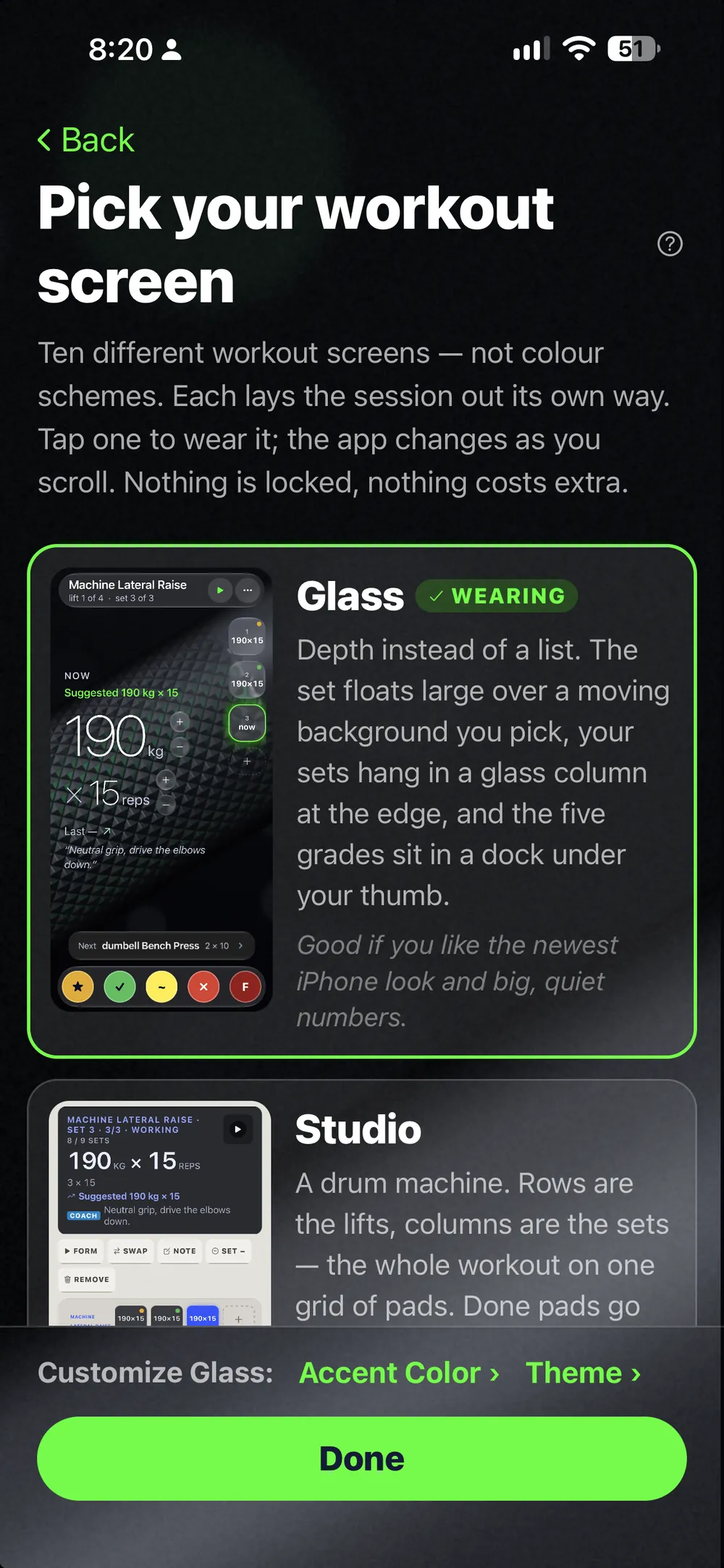
10種類のワークアウト画面。自分の一枚を見つけよう。

コンセプトではなく実際の画面——同じワークアウトを、構造の異なる10種類の ワークアウト画面で。 ハローをドラッグして、止まったところで開くと、そのワークアウト画面のダッシュボードも一緒に現れます。

10種類を見る ↓
LiftScanのロゴマーク

ダッシュボード · 同じ画面
ドラッグして回転 · 離すとワークアウト画面で止まる
トラッカーの中身を見る →
あなた仕様に

あなたのトラッカーは、あなたのルールで。

LiftScanは、あなたの鍛え方に合わせます——その逆ではなく。

10種類のワークアウト画面

頭にしっくりくるワークアウト画面を選ぼう——いつでも切り替えOK、データはそのまま残ります。

24種類のプログラム形式

ストレートセット、スーパーセット、Myo-Reps、EMOM、タバタ——プランに書かれた通りに、そのまま動きます。

あらゆる修飾子

RIR、RPE、%1RM、テンポ、レップの種類——セットごとに設定でき、記録するその場に表示されます。

7つのトレーニングスタイル

ライフスタイル、ボディビル、パワーリフティング、ウエイトリフティング、ストロングマン、クロスフィット、Hyrox——あなたの競技の言葉で話します。

自分だけの種目

自分の動画付きでカスタム種目を追加——1,000種目を超えるデータベースには自動マッチングも。

表示のカスタマイズ

画面に何を映すかは自分次第——数字だけのシンプル表示から、文脈まで見える表示まで、ワークアウト画面ごとに選べます。

自分だけの項目

Apple HealthのHRV、睡眠、歩数はオフにでき、気分・筋肉痛・ストレスだけを記録することも、自分のバイオマーカーに名前を付けることもできます。

最初のプログラムは、今夜にはアプリの中に。

食事を記録 — ワンタップでの繰り返しに加え、検索・バーコード・説明・写真にも対応
柱 02 · 栄養

記録するのは皿の中身、表計算じゃない。

バーコードをスキャンしても、食事を撮影しても、三語だけ入力しても——どの方法でも1日の記録は埋まります。カロリーと マクロは、それが支えるトレーニングのすぐ隣に並びます。

栄養の中身を見る →
柱 03 · ヘルス

背景は、ひとりでに埋まっていく。

体重、睡眠、安静時心拍数、HRV、歩数——Apple Healthから自動で入ってきます。週に一度のチェックインで、 写真・採寸・実際の感覚を記録すれば、記録はいつも正直なままです。

ヘルスの中身を見る →
ヘルス — 睡眠スコア、リカバリー、体重の推移、睡眠の詳細。Apple Healthから読み取り
セルフコーチング

コーチが求めるものすべてを——自分自身で読み解く。

週に一度のチェックイン。写真、体重、採寸、その週の実際の感覚——2タップで記録し、先週の記録と並べて 見られます。判断するのはあなた。アプリはただ、忘れないだけです。

セルフコーチングのプラン →
チェックイン — 日付ごとの体重の記録、新規チェックインと比較

月曜のブリーフは、あなた自身の数字から。14日間無料。

ライブアクティビティ · トレーニング中に

セットの記録は、ロック画面から。

セッションを始めると、ロック画面に表示されます。重量、レップ数、5段階評価が、親指ひとつの距離に。 ロックを解除せずにセットを記録——ベンチに画面を上にして置いたまま、セットの合間は画面オフでOK。 タイルはあなたのワークアウト画面で描かれるので、文字を読む前に見分けがつきます。10種類あり、うち2つはライトカラーです。

ロック画面のライブアクティビティ — 重量、レップ数、5段階評価を表示するワーキングセット
ロック画面 · ライブアクティビティ
ホーム画面のウィジェット

その日のことは、何も開かずにわかる。

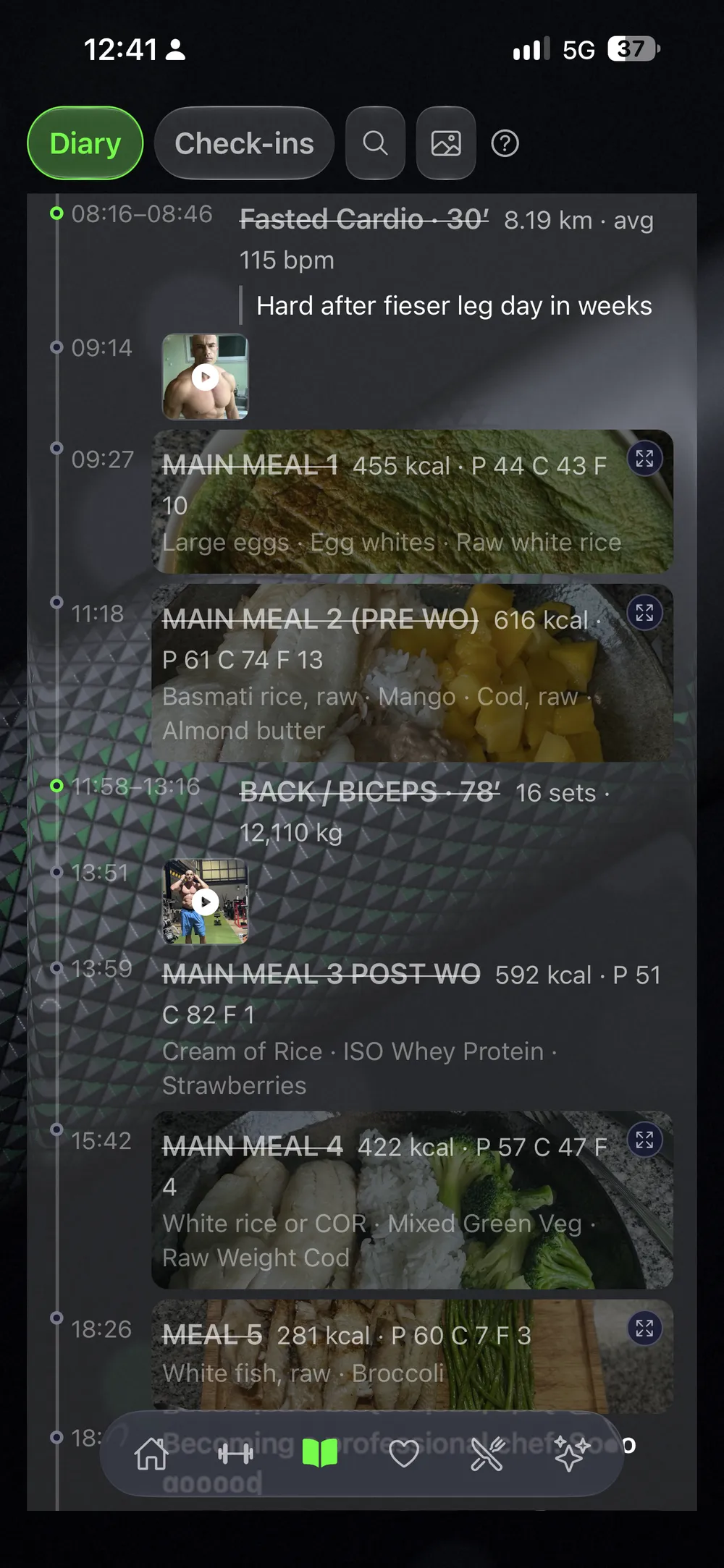
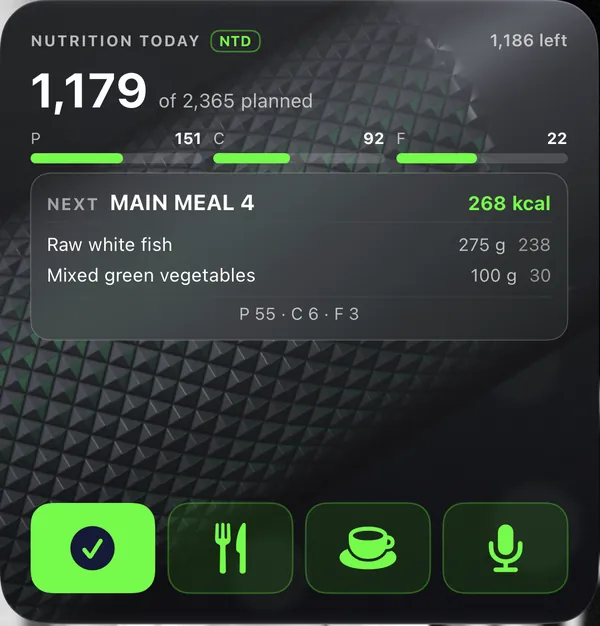
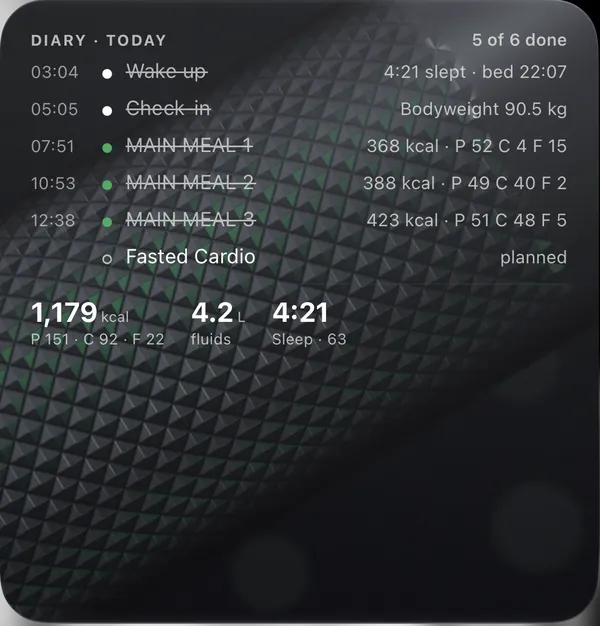
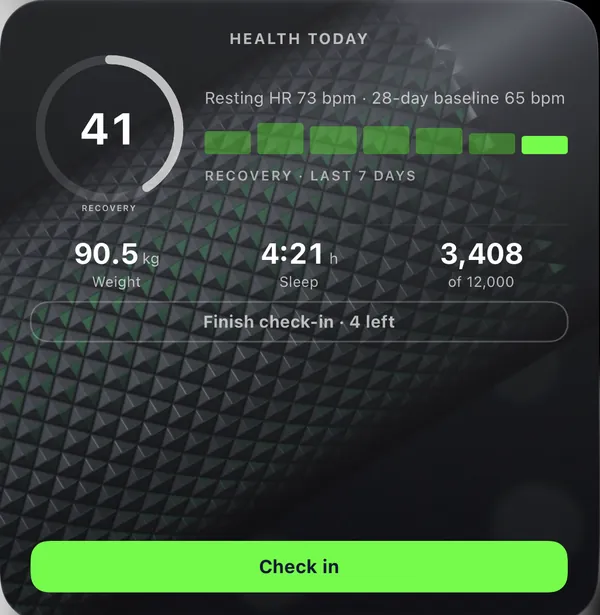
4つの問いに、4つのウィジェット。今日は何をやった、次は何を食べる、1日の予定はどうなっている、 体の状態は今どうか。タップすればそのままそこに移動——プランナーの色も、あなたが使っているワークアウト画面に合わせて変わります。

Health widget — weight, sleep and steps, and the check-in still open, on this workout screen
ヘルス
Next Up widget — today's session, the lifts and their sets, on this workout screen
次のセッション
Nutrition widget — kcal eaten of planned, macros, the next meal with its foods, and the one-tap log button, on this workout screen
栄養
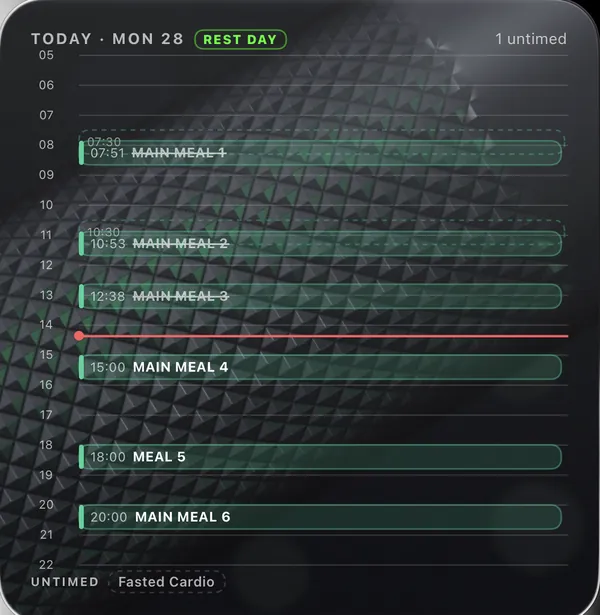
Day planner widget — the day on an hour axis, meals and sessions in place, on this workout screen
1日
Diary widget — today's entries crossed off, kcal, fluids and sleep, on this workout screen
日記
Nutrition widget — kcal eaten of planned, macros, the next meal with its foods, and the one-tap log button, on this workout screen
栄養
Health widget — weight, sleep and steps, and the check-in still open, on this workout screen
ヘルス
Next Up widget — today's session, the lifts and their sets, on this workout screen
次のセッション
Day planner widget — the day on an hour axis, meals and sessions in place, on this workout screen
1日
Diary widget — today's entries crossed off, kcal, fluids and sleep, on this workout screen
日記
Nutrition widget — kcal eaten of planned, macros, the next meal with its foods, and the one-tap log button, on this workout screen
栄養
Health widget — weight, sleep and steps, and the check-in still open, on this workout screen
ヘルス
Day planner widget — the day on an hour axis, meals and sessions in place, on this workout screen
1日
Diary widget — today's entries crossed off, kcal, fluids and sleep, on this workout screen
日記
Next Up widget — today's session, the lifts and their sets, on this workout screen
次のセッション
Nutrition widget — kcal eaten of planned, macros, the next meal with its foods, and the one-tap log button, on this workout screen
栄養
Health widget — weight, sleep and steps, and the check-in still open, on this workout screen
ヘルス
Next Up widget — today's session, the lifts and their sets, on this workout screen
次のセッション
Day planner widget — the day on an hour axis, meals and sessions in place, on this workout screen
1日
Diary widget — today's entries crossed off, kcal, fluids and sleep, on this workout screen
日記
Nutrition widget — kcal eaten of planned, macros, the next meal with its foods, and the one-tap log button, on this workout screen
栄養
Health widget — weight, sleep and steps, and the check-in still open, on this workout screen
ヘルス
Diary widget — today's entries crossed off, kcal, fluids and sleep, on this workout screen
日記
Day planner widget — the day on an hour axis, meals and sessions in place, on this workout screen
1日
Next Up widget — today's session, the lifts and their sets, on this workout screen
次のセッション
Nutrition widget — kcal eaten of planned, macros, the next meal with its foods, and the one-tap log button, on this workout screen
栄養
Health widget — weight, sleep and steps, and the check-in still open, on this workout screen
ヘルス
Next Up widget — today's session, the lifts and their sets, on this workout screen
次のセッション
Day planner widget — the day on an hour axis, meals and sessions in place, on this workout screen
1日
Diary widget — today's entries crossed off, kcal, fluids and sleep, on this workout screen
日記
Next Up widget — today's session, the lifts and their sets, on this workout screen
次のセッション
Health widget — weight, sleep and steps, and the check-in still open, on this workout screen
ヘルス
Next Up widget — today's session, the lifts and their sets, on this workout screen
次のセッション
Diary widget — today's entries crossed off, kcal, fluids and sleep, on this workout screen
日記
Day planner widget — the day on an hour axis, meals and sessions in place, on this workout screen
1日
Nutrition widget — kcal eaten of planned, macros, the next meal with its foods, and the one-tap log button, on this workout screen
栄養
Health widget — weight, sleep and steps, and the check-in still open, on this workout screen
ヘルス
Day planner widget — the day on an hour axis, meals and sessions in place, on this workout screen
1日
Next Up widget — today's session, the lifts and their sets, on this workout screen
次のセッション
Diary widget — today's entries crossed off, kcal, fluids and sleep, on this workout screen
日記
Nutrition widget — kcal eaten of planned, macros, the next meal with its foods, and the one-tap log button, on this workout screen
栄養
Health widget — weight, sleep and steps, and the check-in still open, on this workout screen
ヘルス
Diary widget — today's entries crossed off, kcal, fluids and sleep, on this workout screen
日記
Day planner widget — the day on an hour axis, meals and sessions in place, on this workout screen
1日
Next Up widget — today's session, the lifts and their sets, on this workout screen
次のセッション
Diary widget — today's entries crossed off, kcal, fluids and sleep, on this workout screen
日記
Nutrition widget — kcal eaten of planned, macros, the next meal with its foods, and the one-tap log button, on this workout screen
栄養
Health widget — weight, sleep and steps, and the check-in still open, on this workout screen
ヘルス
Diary widget — today's entries crossed off, kcal, fluids and sleep, on this workout screen
日記
Day planner widget — the day on an hour axis, meals and sessions in place, on this workout screen
1日
Next Up widget — today's session, the lifts and their sets, on this workout screen
次のセッション
AIコーチ · 3本柱すべての上に

すべてを記録することに、意味がある。
だからコーチが読み解ける

食事アプリは食事しか見ません。睡眠バンドは睡眠しか見ません。ジムアプリはセットしか見ません。あなたのAIコーチは、 そのすべてを見ています——そして毎週月曜、見つけたことを伝えます。それぞれの主張の根拠となった数字も添えて。

AIコーチと出会う
The Veteran — the daily coach card on the dashboard: a long streak going, said once
The Veteran
デフォルトの声
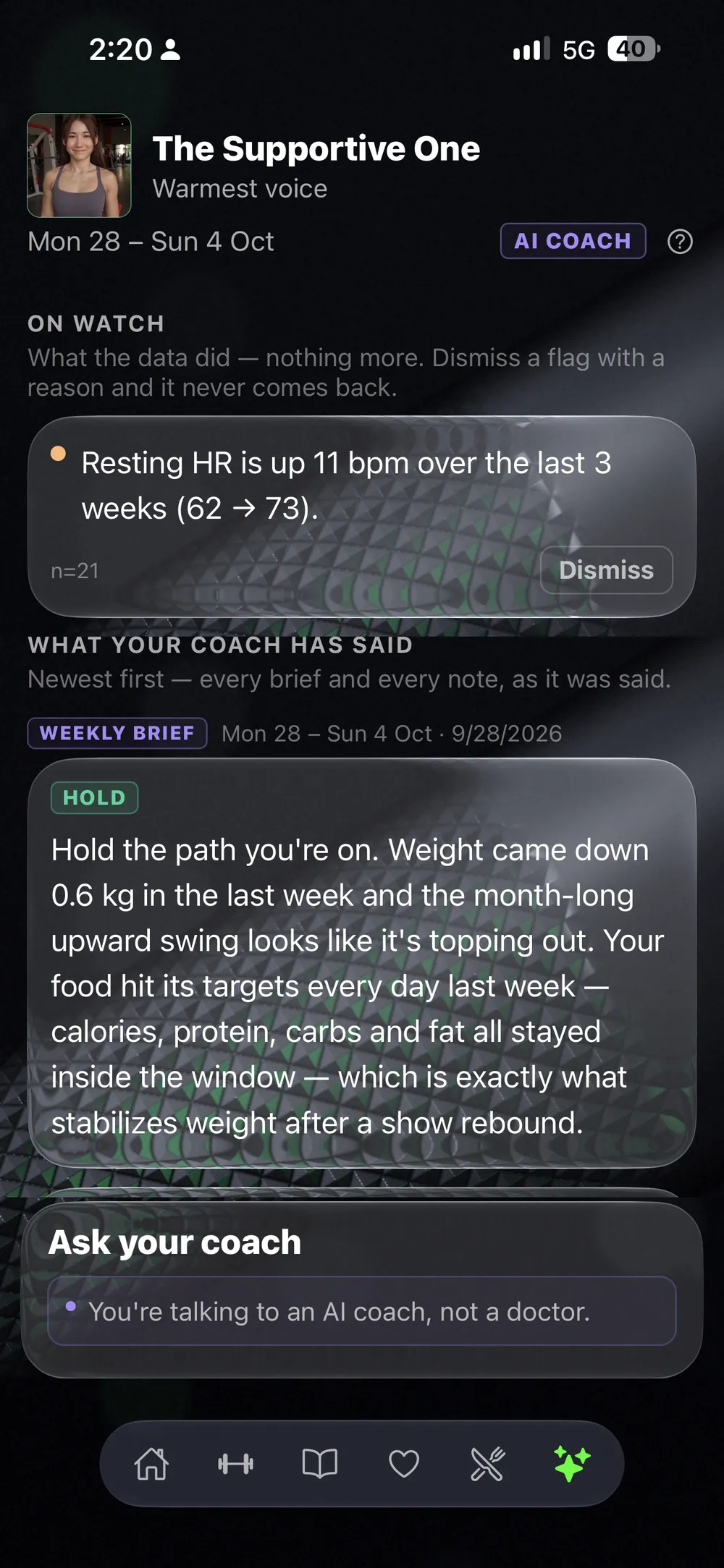
The Supportive One — 5 of 5 sessions done, and why that matters
The Supportive One
最も温かい声
The Drill Instructor — recent intake, status, seven days on plan
The Drill Instructor
最も厳しい設定
The Quiet One — the streak: 28 days logged in a row, said once
The Quiet One
ほとんど話さない

見た目と話し方が決まります。設定からいつでも変更できます。

トロフィールーム

報われるのは、
すでに書いたその計画。

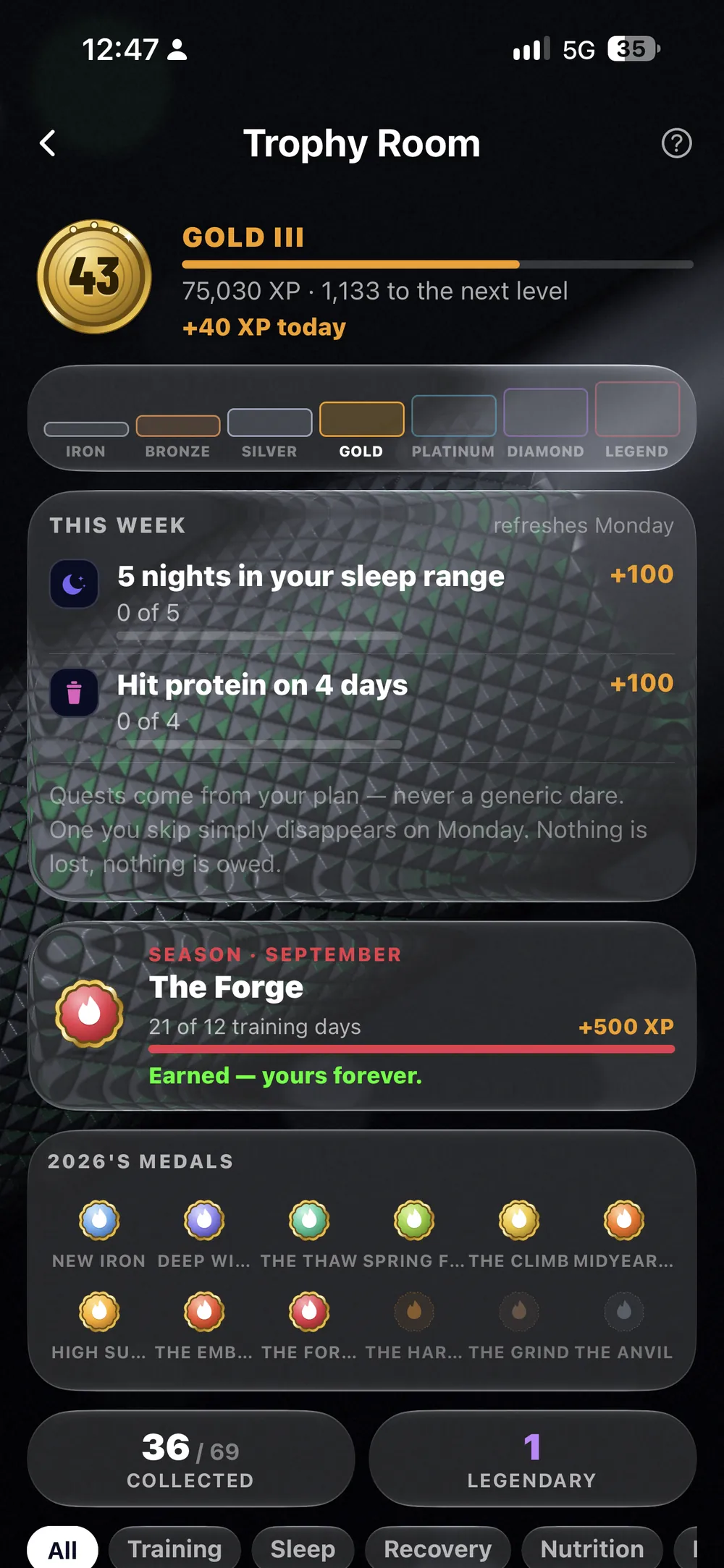
たいていの連続記録バッジは、アプリが勝手に決めた挑発にすぎません。これは違います。今週のクエストは、 あなたが組んだ計画からそのまま読み取られたもの——予定した6回のセッションをこなす、あなたの睡眠範囲内 で5晩眠る、あなたのカロリー目標を4日達成する。アプリ自身の言葉を借りれば、こうです。「クエストは あなたの計画から生まれる——ありきたりな挑発では、決してない。こなせなかったクエストは、月曜になれば静かに消える。失うものは何もなく、借りも残らない。」

その裏側には、Iron から Legend まで続く7つのランクがあります。月ごとに名前の付く シーズンメダルもあり——8月は The Ember、2026年を通じて12種類——さらに、実際のトレーニングのしかたに合わせた69個の メダルが、いくつかのファミリーに分かれて存在します。睡眠には The Night Shift、リカバリーには The Green Days、 トレーニングの週には The Forge、PRには The Medal Case。そして鉄の重さには The Engine、The Road、そして Lifetime Tonnage。

ここには、後付けの演出は一切ありません。シーズンメダルには 「獲得済み——永遠にあなたのもの」と表示され、連続記録のカウンターも、言葉どおりの意味です。現在の連続232セッション、 自己ベストも232。

集め始める →
セッションリキャップ — Big Day、レップPRが2つ、2種目で記録を取り戻し、獲得した50XP
WHERE XPが手に入る場所
トロフィールーム — レベル40のGold III、Iron から Legend までのランクラダー、トレーニング計画から読み取られた今週のクエスト、そして獲得した8月のシーズンメダル
今週分、あなた自身の計画から
共有

プログラムは、リンクかQRコードで届く。

プログラム丸ごとでも、実際に記録した1セッションだけの閲覧専用ページでも、送ることができます。 セッションが終われば、リキャップは自動でできあがり——見せたいときは画像として共有もできます。

プログラムを共有 — 誰でもインポートできるQRコードと短いコード
リンク & QR
このワークアウトを送る — 記録したセッションの閲覧専用ページ
セッションを送る
セッションリキャップ — PR、直近のベストとの比較、数字のすべて
リキャップ
画像として共有 — SNS向けのカードになったセッション
画像として
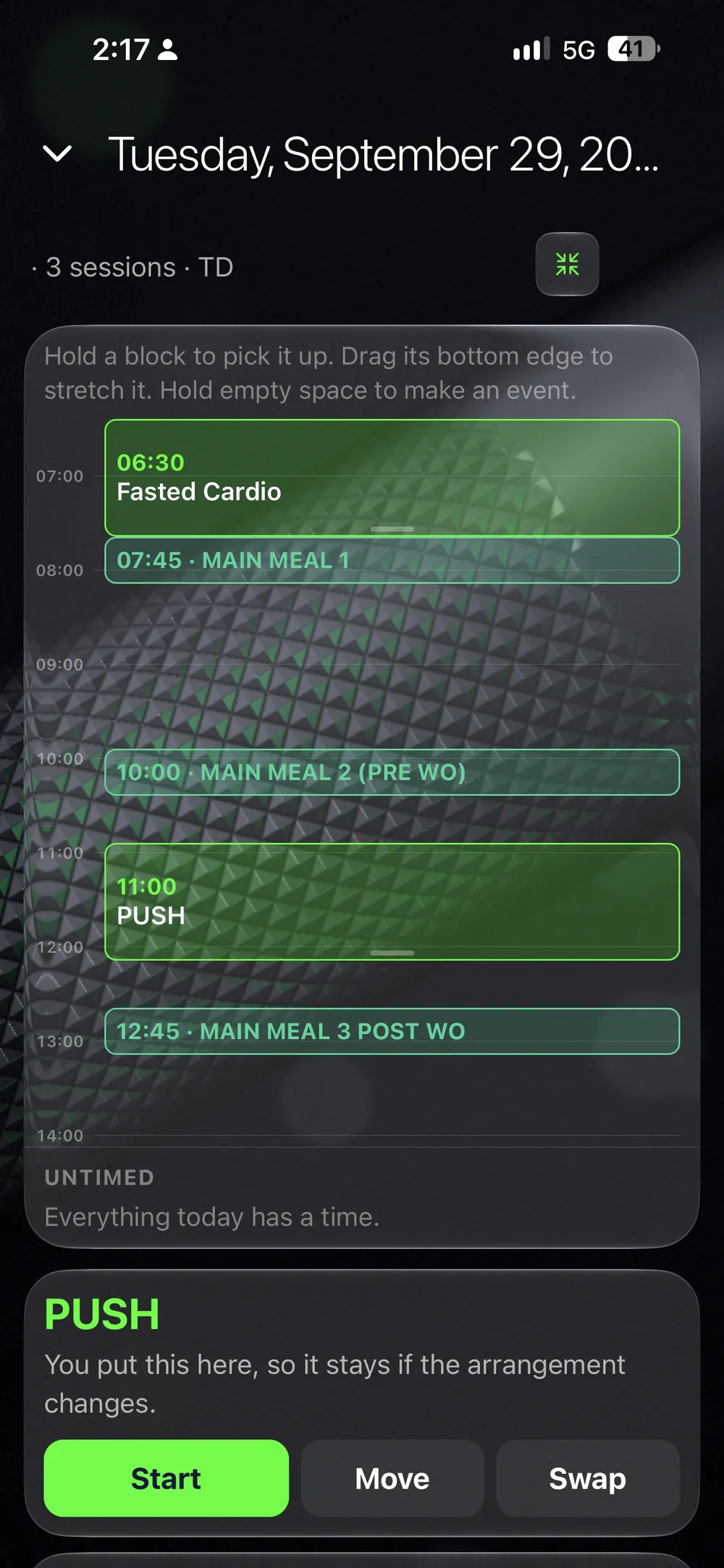
ウェブのプランナー — 月間グリッドと、時間軸で見る1日
ウェブアプリ

ジムではポケットに。
デスクで考える。

セッションはスマホで、計画はブラウザで。ダッシュボード、日記、ドラッグ&ドロップのプランナーがウェブにも ——同じアカウント、同じデータ、手動での同期は不要です。

日記 · ウェブでも

毎日を、1ページに。

トレーニング、食事、体重、メモ——1日のすべてが1ページに、毎日分残ります。プランがその日にやるはずだった ことを示しているときは、予定と実際を並べて見られます。

日記 — ウェブで見る実際の1日。セッション、食事、水分、睡眠、そしてプランとの比較
1つのアプリ · 深さは自分で選ぶ

価格は、使う範囲で決まる。

料金を見る

使う範囲を選ぼう。無料で始めよう。

コーチという仕事 · コーチ向け

人を指導している?
そのためのコックピットがあります。

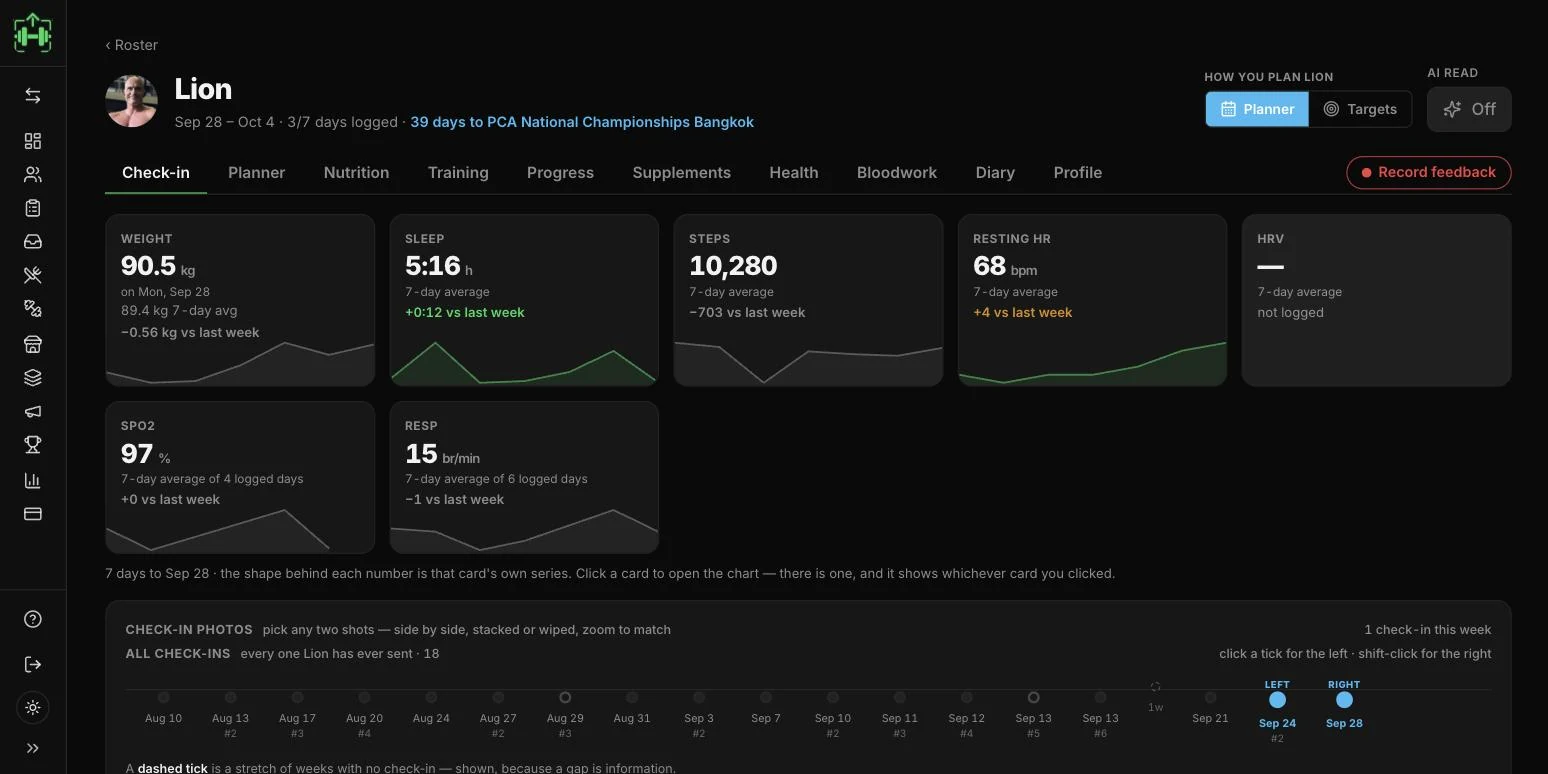
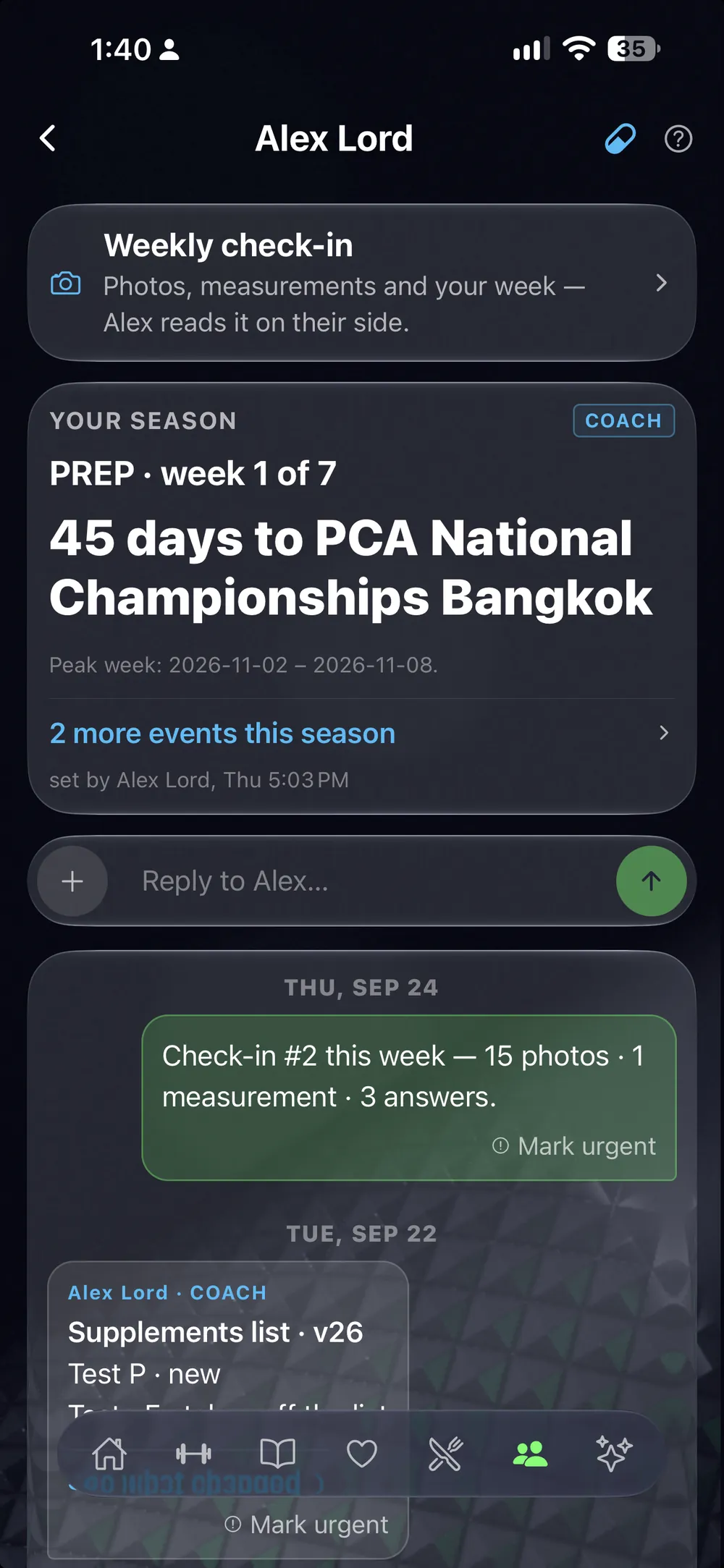
プログラムの配布はずっと無料——選手やクライアントを抱えるようになったら、写真付きチェックイン、共有プランナー、 ウェブでの動画フィードバックが使えます。

LiftScan Coach →
LiftScan Coach — クライアントの1週間分のチェックインを読む画面
全部記録しないといけない?

いいえ。まずはトラッカーだけで始められます。他の柱は アップグレードすると使えるようになります——催促は一切ありません。

プランの料金は?

実際の価格は料金ページに——どのプランも14日間の無料トライアルから始まります。

AIは実際に何をする?

記録された週を読み取り、根拠付きのブリーフを書きます—— できることとできないことを詳しく見る

すべてが、いつも手の中に。

App Storeでダウンロード
端末内にデータ保存 · オフラインで動作 · 全プラン14日間無料トライアル

ウェブから無料で始められます — 所要時間は約1分。